
The fastest, safest route is simple: export your song metadata and charts from Planning Center, confirm your licensing is documented, then import everything into a team-sync tool like Song7. Done in that order, your volunteers stay synced, your presentation screens stay accurate, and Sunday morning stops feeling like a scramble.
TL;DR:
- Proper permissions are essential, as not all Planning Center accounts allow exporting, which could lead to incomplete or unusable data.
- Exported data must include key details like song title, artist, key, tempo, arrangement notes, media links, and markers to ensure seamless import and presentation.
- Using the correct format depends on your workflow; CSV is best for metadata, ChordPro for notation, and PDF for printing, with playlist formats for advanced production needs.
- Confirm and document licensing rights, including CCLI or PRO numbers, before sharing files to avoid legal exposure and ensure team compliance.
- Regularly back up exports with date-stamped archives stored offline and in the cloud, and run rehearsal checks to catch errors before the live service.
Table of Contents
- How to Export Planning Center Songs: A Pre-Flight Checklist
- Step-by-Step: Exporting Songs From Planning Center
- Cleaning Metadata and Confirming Licensing Before You Share Files
- Which Export Format Actually Fits Your Workflow?
- Importing Into Song7 and Syncing Your Team
- Rehearsal Checklist: Catching Errors Before They're Live
- Backup and Archive: Protecting Your Export History
- Why Disciplined Export Habits Change How Volunteer Teams Function
- Getting From Export to Sunday Without the Admin Drag
- Primary Sources and Further Reading
- Sources
- FAQ
How to Export Planning Center Songs: A Pre-Flight Checklist
Before you touch the export button, run through this list. It takes fifteen minutes and saves hours of cleanup later.
- Confirm your export permissions. Not every Planning Center login has export rights, so check with your account admin before you plan around a feature you can't actually use.
- Run a quick license check. Note which songs carry CCLI or PRO coverage and record that permission alongside the song, not in a separate document you'll forget about.
- Decide your target formats. Figure out whether you need CSV for spreadsheets, ChordPro for charts, or PDF for print, because the destination tool determines the format.
- Create a dated backup first. Never export directly from a live library without a backup checkpoint you can return to.
- Schedule a rehearsal test import. Build in time to validate the import before it touches a live service.
Skip step five and you'll find the transposition error during announcements, not during practice.
Step-by-Step: Exporting Songs From Planning Center
Planning Center's export tools live inside your Services module, and access typically requires administrator or editor permissions on the account. If you can't find the export option, that's usually a permissions issue, not a missing feature. Planning Center's official export documentation walks through the current steps, and it's worth bookmarking since the interface shifts periodically.
When you get to the export screen, pull more than just the song title. A useful export includes:
- Title and artist or writer credit
- Key and tempo (BPM if your team uses click tracks)
- Arrangement notes, including verse/chorus/bridge order
- Media links for backing tracks or reference recordings
- Chorus and layout markers so presentation software knows where sections begin
Name your files with a consistent convention, something like songtitle_key_YYYYMMDD, so nobody on the team has to guess which version is current. If your export tool supports encoding options, stick with UTF-8 to avoid garbled characters in lyrics with accents or special punctuation.
Pro Tip: Export a small manifest file alongside your song data, a simple text list noting what's included and what permissions apply. It takes two minutes and saves a half hour of "wait, which file is this" later.
Cleaning Metadata and Confirming Licensing Before You Share Files
A messy export creates a messy import, and licensing gaps create real legal exposure. Handle both before files leave Planning Center.
- Normalize naming and versioning. If "Amazing Grace" exists three ways across your library, arrangement, key variant, and a live recording title, standardize them now so your destination tool doesn't create duplicates.
- Document lyric and arrangement rights. Confirming rights before export or sharing is a standard step in any responsible music export process, and worship ministries are no exception. Note the CCLI number or publisher permission per song.
- Attach permission notes to your manifest. Downstream users, your slide operator, your guitarist printing a chart, need to know what they're legally allowed to display or print.
- Store license numbers with the export itself, not in a separate binder that lives in someone's office. Keeping permission records with the export speeds up any future audit and keeps your team covered.
If you're unsure whether your current library naming supports clean imports, organizing your song library before you export will save you real time.
Which Export Format Actually Fits Your Workflow?
Format choice depends on what you're doing with the file next, not on habit. Here's the breakdown:
- CSV, best for bulk metadata review in a spreadsheet, and for a first-pass matching step before you touch chord files. Some practitioner workflows recommend a two-step export: a metadata CSV first, then separate chart files second.
- ChordPro, the standard for importing musical notation with lyrics aligned to chords, and most modern setlist software reads it natively.
- PDF, your stable fallback for printouts. When the projector dies mid-service, paper still works.
- M3U8 or playlist formats, useful when you're exporting for track-based playback, many planning tools support saving directly to playlist formats that DJ and playback software can read.
- XML or structured exports, these preserve order and richer metadata, similar to how some performance tools export full session files with cue points intact for teams running more complex backing track setups.
Most worship teams only need CSV, ChordPro, and PDF. Save the playlist and XML formats for teams running heavier production, tracks, click, and stems together.
Importing Into Song7 and Syncing Your Team
Getting files out of Planning Center is half the job. The other half is getting them into a tool your whole team can actually use on a Sunday morning.
Start by mapping your exported fields, title, artist, key, tempo, media links, into the matching fields in your destination system. When a song doesn't match automatically, resolve it by comparing normalized title and artist against your manifest rather than guessing from memory.
- Match unmatched imports using your manifest as the reference point, not your memory of "that song from last spring."
- Build your setlist in service order once imports are clean, then transpose for whichever vocalist is leading.
- Assign parts and roles so your acoustic player isn't reading a vocal chart by accident.
- Turn on presentation mode and check chord alignment and lyric scrolling before rehearsal, not during it.
- Pre-load backing tracks if your team uses them, so cue timing doesn't become a live surprise.
Team-sync features push updates to every volunteer's device the moment you edit a setlist, and role permissions let you lock a published set so nobody accidentally changes the key an hour before service. That single feature, instant sync across the team, tends to be the difference between a calm green room and a chaotic one.
Pro Tip: Lock the setlist the night before, not the morning of. Locking early forces last-minute changes into a visible, tracked update instead of a quiet edit nobody else sees.
Rehearsal Checklist: Catching Errors Before They're Live
Run this sequence at rehearsal, every time, no exceptions.
- Play through the set in presentation mode and watch how lyrics and chords land on the actual screens your team uses Sunday.
- Confirm transpositions per instrument, including capo positions, since a guitarist's capo-2 chart looks nothing like the vocalist's concert key.
- Verify backing tracks or stems start at the correct cue and that audio routing goes where it should.
- Check that volunteer accounts have synced and that role permissions allow the edits people actually need to make.
- Confirm your rollback plan works. If something breaks, you should be able to restore last week's dated backup in under a minute.
Teams that skip step five are the ones who discover, mid-service, that there's no way back to the version that worked.
Backup and Archive: Protecting Your Export History
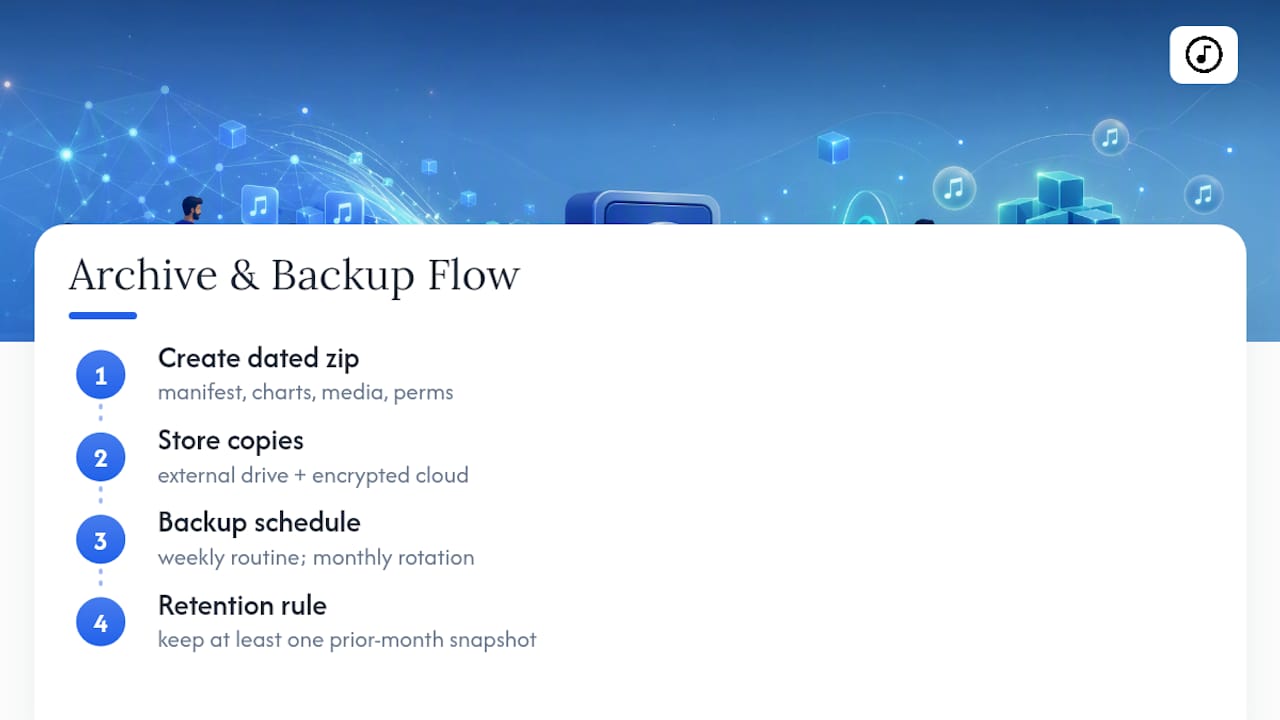
Build the habit of dated zip archives, each containing the manifest, chart files, media links, and permission records together. That bundling matters. When your archive is scattered across five folders, you'll never actually use it during an audit.
Keep one offline copy on an external drive and one encrypted cloud copy with limited team access, that redundancy costs almost nothing and saves everything if a laptop dies. A simple weekly backup routine keeps Sunday running even when technology doesn't cooperate. Rotate your working copy monthly, and always keep at least one prior month's snapshot on hand.
Why Disciplined Export Habits Change How Volunteer Teams Function
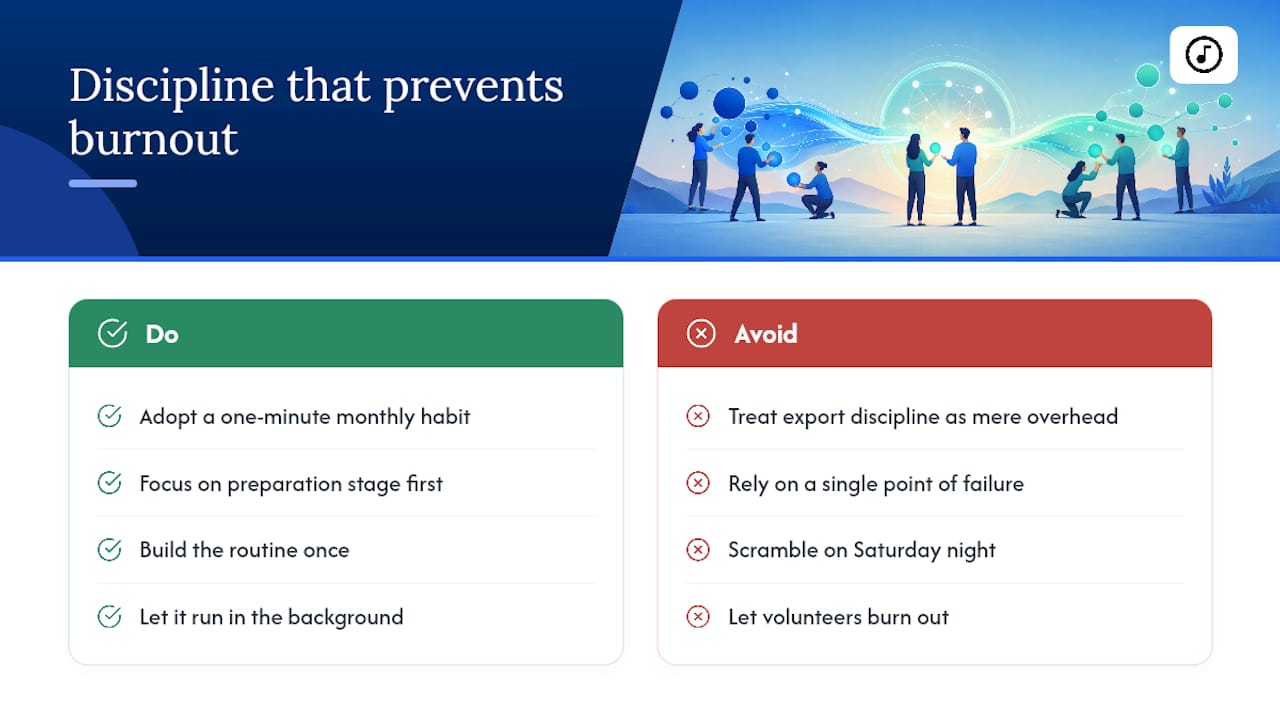
Export discipline isn't administrative overhead, it's what lets volunteer-led ministries function without a single point of failure. Research on music export workflows consistently finds that most of the success happens in the preparation stage, before anything actually gets shared or performed.
We've seen the same pattern in worship ministry. A one-minute manifest habit, repeated monthly, prevents the kind of Saturday-night scrambling that burns out volunteers faster than any theological disagreement ever could. Build the routine once. Let it run quietly in the background.
— Editorial team
Getting From Export to Sunday Without the Admin Drag
Song7 exists for exactly the gap this workflow creates: the space between "I exported my Planning Center data" and "my whole team is actually using it correctly." Drag-and-drop setlist building, instant transposition, presentation mode, and real-time team sync mean the metadata and charts you just cleaned up don't sit in a folder gathering dust.

Import support means you're not retyping chord charts by hand, and role permissions mean a locked setlist stays locked until you say otherwise. Once songs are in, sharing an updated setlist with your team takes seconds instead of a group text chain, and formatting charts so nobody flips a page mid-phrase becomes a setting rather than a chore, covered in more depth in this guide to formatting chord charts. If you're ready to see how a small export behaves once it's inside a synced system, start a free trial at Song7 and import this week's set as your first test run.
Primary Sources and Further Reading
- Planning Center export instructions, the authoritative walkthrough for current export steps.
- Music export guide, covering licensing checks and export planning strategy.
Sources
FAQ
Can You Export Songs Directly From Planning Center?
Yes. Planning Center supports exporting song metadata and files through its Services module, though the exact steps depend on your account's export permissions, detailed in Planning Center's official documentation.
What File Format Should I Use to Export Songs?
Use CSV for bulk metadata review, ChordPro for musical notation with aligned lyrics, and PDF as a reliable print fallback, choosing based on what your destination tool actually accepts.
Do I Need a License to Export and Share Worship Songs?
Yes. Confirm CCLI or PRO coverage for every song's lyrics and arrangement before exporting or sharing files, and keep that documentation attached to your export archive.
Which Tool Should I Import My Exported Songs Into?
A team-sync tool built for worship ministry, like Song7, lets you map exported metadata directly into setlists with transposition, presentation mode, and role permissions built in.
How Often Should I Back Up My Exported Song Files?
Create a dated backup before every export and rotate your working archive monthly, keeping at least one prior month's snapshot for rollback if something goes wrong.