

A well-organized church song library is defined as a cataloged, searchable collection of every song your worship team uses, stored so that any team member can find, retrieve, and distribute music in minutes. Without that structure, worship leaders waste rehearsal time hunting for sheet music, volunteers lose track of copies, and setlist planning becomes reactive instead of intentional. The methods that work best combine a clear inventory, a consistent tagging system, and a low-friction workflow that volunteers will actually maintain. Tools like MusicLib, WayPresenter, and Song7 each address different parts of this problem, from physical cataloging to fully digital worship management.
How do you organize a church song library from scratch?
The first step is a complete inventory. Start with a quick count of your total songs, your active repertoire, and how many physical copies you own of each piece. That baseline tells you what you have, what is missing, and what is taking up shelf space without serving any purpose.
Set aside a dedicated block of time, ideally two to three hours, to pull every score off the shelf and log it. Do not try to organize while you inventory. Record only the facts: title, composer, voicing (SATB, SAB, unison), number of copies, and physical location. Speed matters at this stage. Decisions about categories come later.

Once you have the full list, identify your active repertoire. Identifying 30–50 frequently used pieces and confirming you have enough copies of each prevents shortages mid-season. Songs outside that active group go into a secondary tier for archiving or occasional use.
Choosing the right categories for your collection
Categories give your library its search structure. The most useful ones for church music organization are liturgical season (Advent, Lent, Easter, Ordinary Time), theme (Grace, Faith, Praise, Communion), voicing, tempo, and usage frequency. A song like "How Great Is Our God" fits under Praise, medium tempo, and high frequency simultaneously.
Pro Tip: Do not create categories you will not search by. If your team never filters by key signature, skip it. Every unused category adds clutter and slows retrieval.
Tagging outperforms strict folder systems because worship seasons and song contexts overlap. A folder called "Lent" can only hold a song once. A tag called "Lent" can coexist with "Communion" and "Slow" on the same song. That flexibility is the core advantage of metadata-based organization over traditional file folders.
What systems work best for physical and digital music libraries?
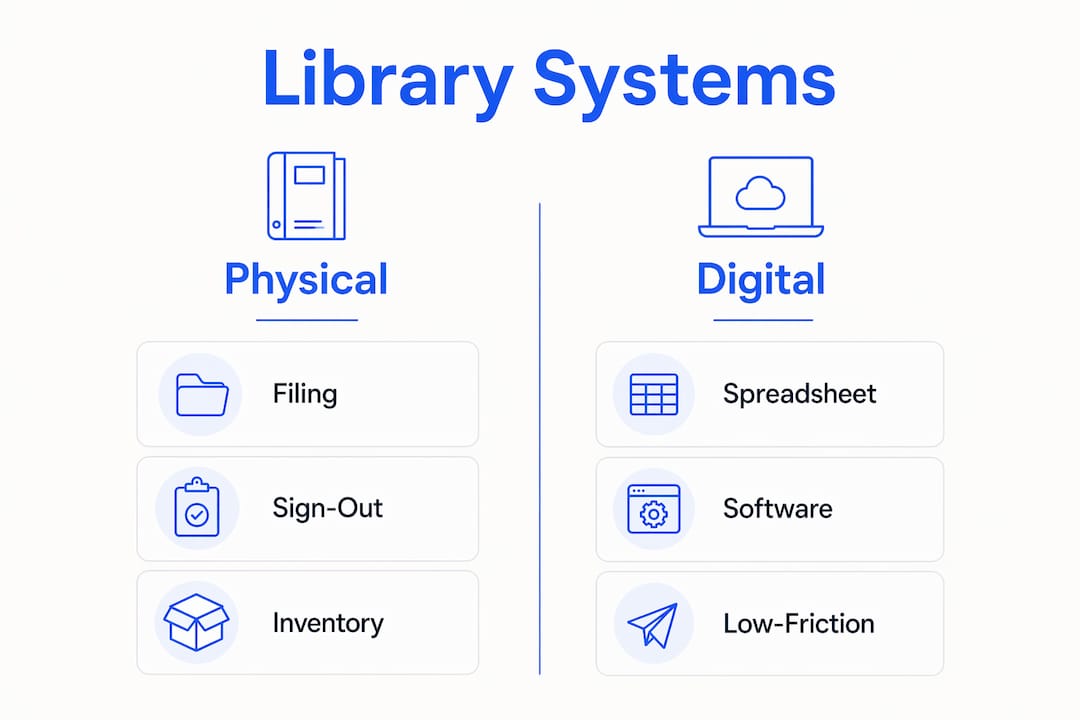
The right system depends on your collection size and your team's technical comfort. Physical and digital libraries each require different tools, but the underlying logic is the same: every song needs a fixed home and a consistent record.
Physical library setup
For physical scores, a numbered filing system is the most reliable method. Assign each anthem a unique number, store it in a labeled folder or binder, and record that number in your master catalog. Filing cabinets work well for collections under 200 pieces. Larger collections benefit from labeled binders organized by season or voicing, stored on open shelves for faster access.
A check-out procedure prevents copies from disappearing. A simple sign-out sheet at the music cabinet, listing the song number, borrower's name, and return date, takes under a minute to fill out. That one minute saves hours of searching later.
Digital library management
Spreadsheets work for small collections, but dedicated software is the better choice for libraries with 100 or more scores. A spreadsheet in Google Sheets or Microsoft Excel covers the basics: title, composer, voicing, genre, copy count, and shelf location. The limitation is that spreadsheets do not support tagging, real-time collaboration, or mobile access well.
Dedicated platforms solve those gaps. The table below compares three common approaches:
| Approach | Best for | Key strength | Key limitation |
|---|---|---|---|
| Spreadsheet (Google Sheets) | Small libraries under 100 songs | Free, familiar, easy to set up | No tagging, limited mobile use |
| MusicLib | Mid-size choral libraries | Built for sheet music cataloging | Focused on physical scores |
| Song7 | Worship teams of any size | Setlists, chord charts, team sync | Designed for live worship, not choral archives |
Systems must stay low-friction for volunteers. If an update takes longer than about two minutes, volunteers stop maintaining the system. That is the single most common reason church music libraries fall into disarray. Choose the simplest tool that meets your needs, not the most feature-rich one.
How should you distribute and track music copies?
Distribution is where most physical libraries break down. Copies walk out of rehearsal and never come back, or members show up with last season's version because no one tracked the update.
The most reliable method is numbered copy assignment. Number each anthem and assign choir members matching numbered copies. Member 4 always gets copy 4. At the end of rehearsal, the director collects by number. This removes the guesswork of "which packet is mine" and makes missing copies immediately visible.
- Number every physical copy of each anthem before the first rehearsal.
- Record each member's assigned copy number in your master roster.
- Collect copies by number at the end of each rehearsal or service.
- Log any unreturned copies immediately and follow up within 48 hours.
- Update your master catalog whenever a copy is damaged or replaced.
Pro Tip: Schedule song imports and setlist updates at least five days before a service. Last-minute changes create version confusion, especially when physical and digital copies are both in use.
Keeping the library current over time
Regular cleanup prevents search degradation. Set a quarterly review on your calendar to remove duplicate entries, correct metadata errors, archive songs that have not been used in two or more years, and confirm that tag governance is consistent. "Advent" and "advent" are different tags in most systems. One typo fragments your search results.
Catalog incrementally as scores come off the shelf for rehearsals rather than waiting for a big annual project. When you pull a song for Sunday, spend 90 seconds confirming its record is accurate. That habit keeps the library in sync with actual usage without requiring a dedicated cleanup day.
Who should manage your church music library?
Clear ownership is the difference between a library that stays current and one that drifts. Assign one person as the library manager, responsible for updates, tag governance, and onboarding new team members. This role does not require a music degree. It requires consistency and attention to detail.
Role-based access prevents accidental edits. The library manager holds full editing rights. Choir members and volunteers get view-only or limited access. In digital platforms like Song7, permission levels are set per user, so a volunteer can pull up a chord chart without being able to delete a song record.
Effective collaboration also depends on clear submission processes:
- Create a single channel for new song requests, such as a shared form or a designated email address.
- Require submitters to include title, composer, key, and intended use (season or theme).
- Set a weekly review window so the library manager processes requests in batches, not on demand.
- Train volunteers on the system during onboarding, not after a problem occurs.
- Document the workflow in a one-page reference sheet stored where the team can find it.
A long-term archival policy with consistent tag governance preserves library usability over years, not just months. Without it, every new volunteer who touches the system introduces inconsistencies that compound over time.
Key Takeaways
A well-maintained church song library requires a consistent catalog, a low-friction workflow, and one person with clear ownership of the system.
| Point | Details |
|---|---|
| Start with a full inventory | Count total songs, active repertoire, and copy counts before organizing anything. |
| Use tags, not folders | Tags let songs belong to multiple categories, which matches how worship seasons actually overlap. |
| Keep updates under two minutes | Volunteers stop maintaining systems that take too long; simplicity drives consistency. |
| Number physical copies | Assign each member a numbered copy to reduce loss and simplify collection after rehearsals. |
| Assign one library manager | One person with editing rights and clear ownership keeps the catalog accurate over time. |
What I have learned from years of watching church libraries succeed and fail
The libraries that work are never the most elaborate ones. They are the ones where someone decided to keep it simple and stuck with it. I have seen worship teams build color-coded binders with laminated tabs and custom spreadsheets with 20 metadata fields, and within six months those systems are abandoned because no one has time to maintain them.
The insight that changed how I think about this: library failures come from lack of timely updates, not from choosing the wrong sorting method. A mediocre system that gets updated every week beats a perfect system that gets updated twice a year.
The physical versus digital debate is also less important than people make it. Most churches need both. Physical scores are reliable in a power outage. Digital records are searchable and shareable. The goal is not to pick one. The goal is to make sure both stay in sync, which only happens when one person owns that responsibility.
My honest advice: start smaller than you think you need to. Catalog your active 30–50 songs first. Get that working. Then expand. Trying to catalog 400 pieces before your system is proven is how projects stall in february and never restart.
— Henning
Song7 makes worship music management practical
Managing a worship song collection across chord charts, setlists, and team schedules is a real coordination problem. Song7 is built specifically for worship leaders and church music teams who need a central place to handle all of it.

Song7 gives your team a shared digital library where songs stay current, setlists are built with drag-and-drop, and every musician sees the same version in real time. Chord transposition, lyric display, and a built-in metronome are all available without switching apps. For volunteer-based teams that cannot afford technical complexity, Song7 keeps the focus on the music. Visit Song7 to see how it fits your worship team's workflow.
FAQ
What is the best way to catalog church hymns?
Track key metadata fields including title, composer, voicing, genre, copy count, and physical location. Use tags rather than folders so each hymn can appear in multiple categories like season, theme, and tempo.
How do you manage a worship song collection for a small church?
A spreadsheet in Google Sheets covers the basics for collections under 100 songs. Record title, composer, voicing, and copy count, then add a tag column for season and theme to support flexible searching.
How often should a church music library be cleaned up?
A quarterly review is the standard practice. Remove duplicates, correct metadata errors, archive unused songs, and confirm tag consistency every three months to prevent search results from fragmenting.
What is the difference between tagging and folder-based organization?
Folders place each song in one location. Tags allow multiple category membership, so a single song can be labeled Lent, Communion, and Slow simultaneously. Tagging is more flexible for worship contexts where songs serve multiple purposes.
Who should be responsible for the church song library?
One designated library manager with full editing rights keeps the system accurate. Other team members receive view-only access to prevent accidental changes while still being able to retrieve music when needed.