
Use ChordPro or a chords-over-lyrics sheet for most live and print needs, and switch to the Nashville Number System when transposition speed matters more than fixed voicings. What actually makes a chart usable isn't the format you pick. It's whether your section labels are clear, your chords sit right above the syllable they change on, and your page turns land somewhere other than the middle of a phrase. Song7 was built around exactly that reality.
TL;DR:
- ChordPro files allow dynamic transposition and formatting flexibility, making them ideal for managing songs across multiple apps and devices.
- Nashville Number System suits teams that frequently change keys, as it enables instant transposition by modifying only the top reference key.
- Clear section labels, correct chord placement above lyric syllables, and strategic page breaks are crucial for real-time readability during performances.
- PDFs are recommended for printing and tablet use, with CHordPro files serving as the master source for automatic style and transposition updates.
- Keeping a single, synced master chart and avoiding clutter ensures that all musicians read the same, stage-ready sheet without confusion.
Table of Contents
- What's the Best Way to Format Chord Charts?
- How Do You Build a Chart Step by Step?
- Which Notation Details Actually Improve Readability?
- How Do You Transpose a Chart and Use the Nashville Number System?
- What File Formats and Export Settings Should You Use?
- How Does Song7 Keep a Team's Charts Formatted and Synced?
- What We'd Actually Cut From a Chart (And What We Won't)
- Get Every Chart Formatted, Synced, and Stage Ready
- Sources
- FAQ
What's the Best Way to Format Chord Charts?
Every chart format solves a different problem, so the right pick depends on who's reading it and where.
Chords-over-lyrics is the format most volunteer musicians already know: chord symbols sit directly above the lyric syllable where the change happens. It's readable at a glance, works on paper or a tablet, and needs zero explanation for a new team member. The tradeoff is portability. Change keys and you're rewriting every chord by hand.
ChordPro solves that by keeping chords and lyrics in one plain-text file using inline bracket syntax, like [C]Amazing [G]grace, how [Am]sweet the [F]sound. Because the chords live inside the text rather than floating above it, they stay aligned no matter what font or column width you export to. Files typically use .chopro, .chord, .pro, or .txt extensions, and the ChordPro format is now the closest thing the industry has to a shared standard, supported by dozens of processors and apps.
The Nashville Number System replaces chord names with scale-degree numbers (1 through 7), so a chart written in "1, 4, 5, 6m" transposes instantly just by changing the key reference. It's the go-to for session players and worship teams that change keys often.
A quick way to choose:
- Leading a small team from printed sheets? Chords-over-lyrics.
- Managing songs across multiple apps or devices? ChordPro as your master file.
- Working with session musicians or shifting keys weekly? Nashville numbers.
How Do You Build a Chart Step by Step?
A chart earns its keep on stage, not on paper, so build it in an order that respects how a musician actually reads under pressure.
- Start with metadata. Title, key, tempo, and capo position belong at the top, before a single lyric line. Add road-map labels (Verse 1, Chorus, Bridge) so the structure is visible before anyone plays a note.
- Pick your layout. Single-column charts read best on phone-sized tablets; two-column layouts fit more on a printed page without shrinking text past legibility. Either way, don't drop below a 12-point equivalent font size on a stand.
- Place chords precisely. A chord goes directly above the lyric syllable where the change occurs, not floating vaguely between words. Ambiguous spacing is the single most common complaint from guitarists reading someone else's chart.
- Compress repeats intelligently. Use shorthand like "x2," "D.S. al Coda," or "Repeat Chorus" to save space, but expand a section fully if the repeat structure is even slightly unusual. A confused musician mid-song costs more than an extra line of text.
- Plan your page turns. Force a break at a rest or section boundary, never mid-phrase. If a page turn is unavoidable, duplicate the last cue line at the top of the next page so nobody loses their place.
Clear section headers and road-map cues aren't decoration. Practitioner guidance from working chart writers consistently points to this as the difference between a chart a session player can sight-read and one that needs a verbal walkthrough first.
Pro Tip: Print a test copy and read it while standing, holding it at arm's length, the way you would on a stand. Problems that are invisible on a laptop screen jump out immediately in that position.

Which Notation Details Actually Improve Readability?
Not every rhythmic nuance belongs on a performance chart. The goal is enough information to play the song correctly, not a full transcription.
- Rhythm slashes work for most charts: one slash per beat tells the player to strum or comp in time without dictating exact attack points. Save explicit rhythmic notation (dotted quarters, syncopated figures) for parts that genuinely can't be inferred.
- Slash chords (like G/B for a G chord over a B bass note) should appear exactly as written, since the bass note often carries the harmonic motion of the whole phrase.
- Capo notation needs its own line near the top: "Capo 3, chords shown are capo shapes" prevents a guitarist from transposing twice by mistake. For transposing instruments like trumpet or clarinet, note concert pitch separately if the chart will circulate beyond guitar and keys.
- Performance cues (a "big finish" note, a dynamic marking, a "wait for cue" flag) help most when used sparingly. A chart cluttered with markings is harder to scan than one with none at all.
How Do You Transpose a Chart and Use the Nashville Number System?
Transposing a named-chord chart means deciding your target key, then adjusting every chord symbol by the same interval, and finally checking that your original voicings and capo position still make sense in the new key. That third step gets skipped constantly, and it's usually why a transposed chart still sounds wrong even though the chord letters are technically correct.
The Nashville Number System sidesteps the whole problem. Because chords are written as scale-degree numbers rather than letter names, a "1, 4, 5" progression stays "1, 4, 5" no matter what key you're in. Change the key reference at the top of the chart, and every number-reading musician transposes in their head instantly.
Practical guardrails:
- Keep one master source (ChordPro works well here) and generate both a named-chord export and a number chart from it, rather than maintaining two files by hand.
- Favor Nashville numbers for session work, frequent key changes, or worship sets where the leader calls an audible.
- Stick with named-chord charts when the arrangement has fixed voicings, specific inversions, or guitar-specific shapes that a number chart would flatten out.
Song7's guide on the Nashville Number System walks through reading and writing numbers in more depth, and the capo-aware charting guide covers the capo-plus-transposition scenario specifically.
What File Formats and Export Settings Should You Use?
PDF is the right output for printing and for tablets in performance mode, since it preserves layout regardless of the device that opens it. ChordPro should be your master source, because the ChordPro specification separates the underlying data from how it's rendered, meaning one file can generate multiple styled outputs. Plain text still has a place for quick edits during rehearsal when you don't need formatting at all.
Before you finalize any export, check:
- Page size and margins match the stand or binder you're printing for.
- Columns and font size hold up at arm's length, not just on a monitor.
- Repeat and column-break directives are set so lines don't split mid-repeat.
- Fonts are embedded in the PDF so nothing reflows on a different computer.
Tools built specifically for this, including chord-authoring apps with column and preview controls, let you preview print and screen layouts before committing to an export. The workflow that scales: one editable master file, then role-specific PDFs generated from it, never five separate documents drifting out of sync.
How Does Song7 Keep a Team's Charts Formatted and Synced?
A worship team juggling five instrumentalists and a rotating volunteer schedule doesn't need five versions of the same chart circulating by text message. Song7 handles chord chart formatting, instant transposition, ChordPro import and export, and presentation mode for tablets, all synced across the team in real time.
A typical Song7 workflow looks like this: build your master chart in ChordPro, let Song7 handle capo-aware transposition automatically, export print-ready PDFs for the acoustic guitarist's stand, and switch to presentation mode for the tablet on the keyboard. Everyone touches the same source. Nobody's working from last week's key.
That single-source approach is what keeps cloud-based worship team collaboration from turning into version-control chaos on a Sunday morning.
What We'd Actually Cut From a Chart (And What We Won't)
Here's where we land after seeing more than a few overstuffed charts crash into a music stand mid-song: information density is the enemy of usability, not the friend of it. Every chart should carry the key, tempo, capo position, and section labels at the top, full stop. Nothing else is truly non-negotiable.
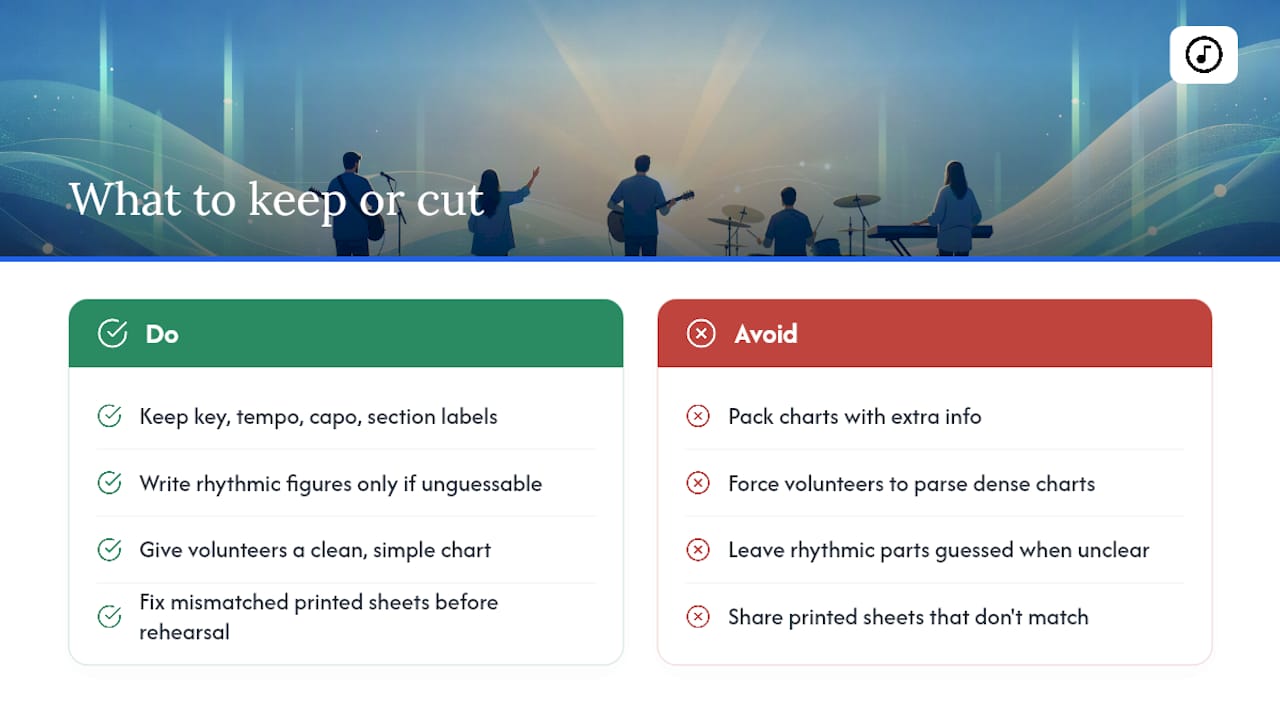
Everything past that is a judgment call. A rhythmic figure worth writing out fully is one no musician would reasonably guess. Everything else can be a slash and a glance. We'd rather hand a volunteer guitarist a clean, slightly underspecified chart than a dense one that takes three extra seconds to parse during the second verse.
If your team is still passing around printed sheets that don't match, that's worth fixing before your next rehearsal, not after another missed cue.
— Editorial team
Get Every Chart Formatted, Synced, and Stage Ready
Song7 is the shortcut past the manual reformatting problem this whole article has been circling: one team member builds the chart, transposes it, and everyone else opens the exact same version on their own device, already formatted for their instrument.

No more emailing five versions of the same song or discovering mid-rehearsal that someone's working from an old key. Import from ChordPro, text, or even a photo, let Song7 handle transposition and capo notation, then switch to presentation mode for tablets or export clean PDFs for printed stands. If your team is still juggling paper and group texts to keep everyone on the same chart, start a free trial with Song7 and see how much of that disappears in one rehearsal.
Sources
- Welcome to ChordPro! | ChordPro
- How to write chord charts for guitar: a complete guide | Guitar Wiz
- Nashville Number System — Wikipedia
FAQ
How do I create a chord chart from scratch?
Start with metadata (title, key, tempo, capo), add section labels, then place chords directly above the lyric syllable where each change happens, keeping repeats compact with shorthand like "x2" or "D.S."
What are the different types of chord charts?
The three most common are chords-over-lyrics sheets, ChordPro text files with inline bracket syntax, and Nashville Number System charts that use scale-degree numbers instead of chord names.
How do you write out a chord chart properly?
Place each chord symbol directly above the syllable where the harmony changes, group the song into clearly labeled sections, and plan page breaks at rests or section boundaries rather than mid-phrase.
What software can I use to write chord charts?
ChordPro's own tools and specification support plain-text chart creation with reliable PDF export, and platforms like Song7 add automatic transposition, ChordPro import and export, and real-time team syncing on top of that foundation.
Should I use ChordPro or Nashville numbers for my worship team?
Use ChordPro as your master file for consistent formatting across devices, and generate a Nashville number version when your team changes keys frequently or works with musicians who read numbers faster than letter names.