
Public setlist links are shareable web pages that expose a service's final song order, lyrics, chords, and presentation files to your team, and sometimes your congregation. Use one whenever more than two people need to see the same version of Sunday's plan. Song7 and similar worship-planning platforms generate these links automatically, syncing changes in real time so nobody rehearses off an outdated PDF.
TL;DR:
- Sharing a single, finalized setlist link by Thursday prevents confusion and ensures everyone rehearses from the same version.
- Public links should only be used for finalized setlists, while drafts and in-progress arrangements remain team-only or should have limited access.
- Updating the setlist immediately after changes and notifying the team avoids discrepancies and last-minute surprises during rehearsals.
- Test all display devices and fonts on actual stage hardware before Sunday to prevent formatting issues during the service.
- Platforms like Song7 automate instant updates and keep all team members synchronized, reducing the need for multiple copies and manual resends.
Table of Contents
- What Are Public Setlist Links, and Who Are They For?
- How Do You Create and Share a Public Setlist Link?
- Public vs. Team-Only Links: What Should You Share, and With Whom?
- Using Setlist Links for Rehearsal and Onstage Display
- Common Pitfalls With Public Setlist Links (and How to Fix Them)
- What Changed When Our Team Standardized Setlist Links
- How Song7 Makes Public Setlist Links Simple
- Sources
- FAQ
What Are Public Setlist Links, and Who Are They For?
A public setlist link solves a specific problem: too many "final" versions floating around. One person has last week's key change in a text thread. Another printed a chart before the bridge got cut. The link fixes that by giving everyone the same page, literally.
The benefits show up fastest in three places.
- Rehearsal focus. When the setlist question is already settled, practice time goes to actual music, not "wait, are we doing verse two twice?"
- Production alignment. Sound techs and stage volunteers work off the same document as the vocalists, which matters more than most leaders realize until the mix falls apart over a missed transition.
- Congregation access. Some churches post the link publicly so attendees can follow lyrics on their phones or preview songs before service, something platforms like Subsplash support through public collection settings.
None of this works without a shared rhythm. Industry guidance points to sharing the finished setlist by Thursday, giving musicians and production staff a real runway instead of a Saturday-night scramble. Pair that with a single planning hub, not a scattered mix of texts and emails, and you get what worship planning specialists call a genuine source of truth: one place where the set order, charts, and flow notes all live together.
How Do You Create and Share a Public Setlist Link?
The mechanics are simple once you separate them into steps instead of tackling everything Sunday morning.
- Build the full setlist first. Enter every song, in order, with the key, tempo, and any attachments you need. This includes chord charts, lyric sheets, PDFs, or a reference demo for a new arrangement.
- Set your permissions before you share. Decide whether the link is public (visible to anyone with the URL, useful for congregation-facing pages) or team-only. Confirm presentation mode is switched on if you want lyrics or slides to display cleanly, and check whether the platform sets an expiration date automatically.
- Copy the shareable link and post it in your single source of truth. That might be a pinned channel, a dedicated team app, or a recurring email, but it should be the same place every week. Aim to have it live by Thursday so nobody is sight-reading Saturday night.
- Update immediately if anything changes. A key shift or last-minute song swap after Thursday needs a direct notification, not a quiet edit nobody sees. Update the setlist, then message the team so the change doesn't get missed.
One quirk worth knowing: some presentation platforms, including Proclaim, require a minimum of three songs before they'll generate a shareable image or link. Check your platform's requirements before you're stuck troubleshooting five minutes before rehearsal.
Pro Tip: Name one person, usually the worship leader, as the sole owner of the "final" link. When two people think they're each responsible for posting it, you end up with two versions floating around, and that defeats the entire point.
Public vs. Team-Only Links: What Should You Share, and With Whom?
Not every setlist belongs in front of every audience. A rough rehearsal draft with half-finished key changes has no business on a public congregation page. A finalized set, on the other hand, works well there.
Use these rules of thumb to decide:
- Public links fit congregation-facing pages, lobby displays, or a church website where attendees preview Sunday's songs ahead of time.
- Team-only links fit anything still in progress: draft orders, arrangement experiments, or charts you haven't cleared for wider distribution.
- Expiring links work well for guest musicians or one-off events where you don't want old links resurfacing months later.
- View-only versus downloadable settings matter for licensed material. Give volunteers what they need to rehearse without leaving your chord charts freely downloadable by anyone with the URL.
Licensing deserves a direct mention here. If you're projecting lyrics or distributing chord charts, your church's CCLI (or equivalent) license governs what you can legally display and share, and that coverage doesn't automatically extend to every format or platform. Check your license terms before assuming a public link is covered the same way a printed bulletin insert would be.
Accessibility matters just as much as permissions. Test your setlist link on the actual devices your team uses. Small fonts that look fine on a laptop can become unreadable on a stage monitor or a volunteer's older phone.
Using Setlist Links for Rehearsal and Onstage Display
A link is only as useful as what your team does with it before Sunday. Rehearsal prep should go beyond "here's the song list."
- Annotate the setlist with arrangement notes: who takes the second verse, where the key change happens, whether there's a click track.
- Attach audio demos so volunteers can hear the arrangement, not just read the chart.
- Require confirmation. A quick "got it" from each team member before rehearsal catches confusion early instead of discovering it mid song.
Software handles the "what," but it can't replace the "why." A two-minute debrief between the worship leader, sound engineer, and stage team before service catches the transitions and cues that never make it into any digital document, no matter how well built. That short human conversation is the piece a link genuinely cannot do for you.
Onstage, treat the setlist link as your one authoritative display source, whether it's feeding a presentation tool or projected directly. Testing that output on the exact devices you'll use Sunday, the actual projector, the stage monitor, the volunteer's phone, catches font and scaling problems before they become live-service surprises.
Pro Tip: Run through the full presentation on stage hardware during at least one rehearsal, not just on your laptop screen. Fonts that render perfectly on a MacBook sometimes shrink or shift on a projector.
Common Pitfalls With Public Setlist Links (and How to Fix Them)
Most setlist problems trace back to the same handful of causes.
- Fragmented communication. If your "final" setlist lives in three different group texts, nobody actually knows which one is current. Centralize distribution in one channel and retire the rest.
- Broken or expired links. Check permissions and expiration settings before rehearsal, and keep a simple PDF fallback in case the link fails on a bad connection.
- Late changes with no notification protocol. Decide in advance who sends updates and how, so a Saturday-night key change doesn't get buried in a thread nobody's watching.
- Display formatting failures. Test fonts, scaling, and layout on real devices during rehearsal, not for the first time on Sunday morning.
Most of these fixes cost nothing but a habit change: pick one place for the link, name one owner, and test the display before the room fills up.
What Changed When Our Team Standardized Setlist Links
For years, our team ran on printed charts and a group text that everyone half read. Rehearsals started with ten minutes of "wait, which version is this?" before anyone picked up an instrument. Once we moved to a single public link, posted by Thursday, every time, that friction mostly disappeared.
Musicians showed up having already heard the arrangement. Our sound engineer stopped guessing at transitions because he'd seen the same notes we had. The two-minute pre-service check became easier, too, since we were confirming details instead of untangling confusion. If your team is still stitching together texts, PDFs, and memory, a resource like Song7's guide to sharing setlists walks through the same shift step by step. Pick a deadline, pick a single hub, and hold to both.
— Editorial team
How Song7 Makes Public Setlist Links Simple
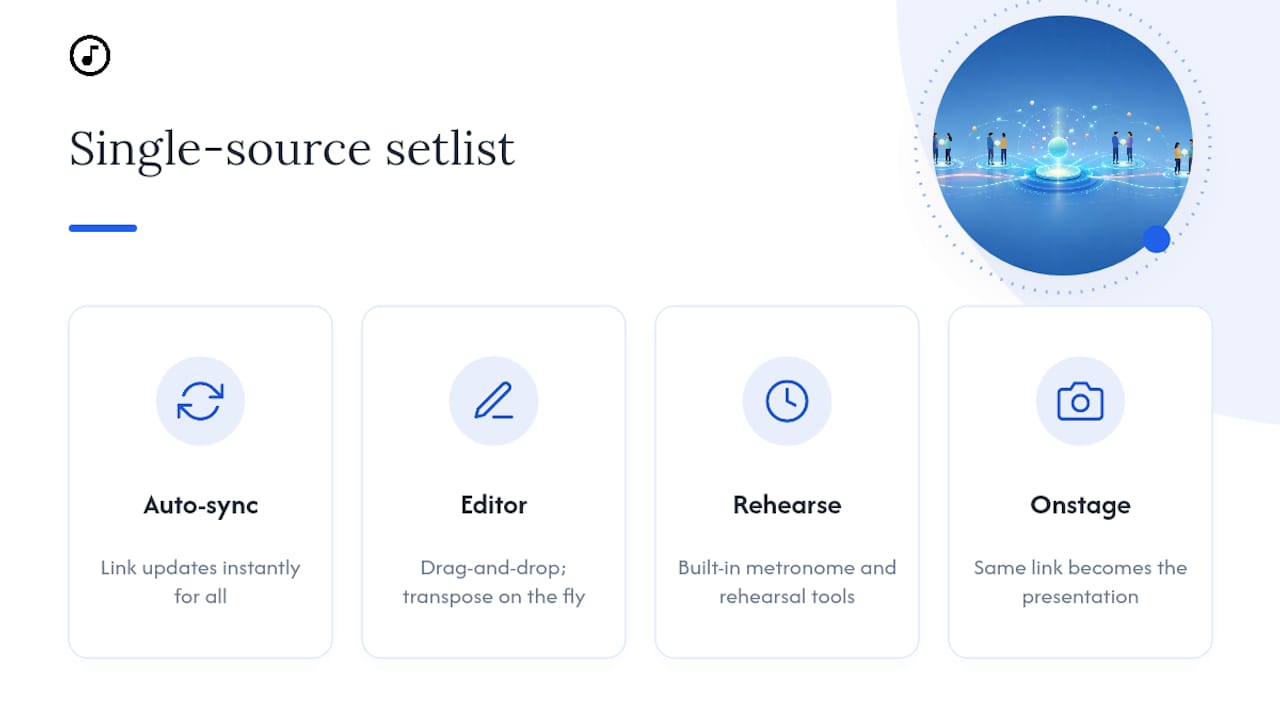
This platform turns the Thursday-sharing habit into something automatic instead of something you have to remember. Build your setlist with a drag-and-drop editor, transpose songs on the fly, and attach chord charts or lyrics, and the public link updates instantly for everyone watching it. No re-sending, no "did you see the new version," no juggling five copies of the same song sheet.

Presentation mode turns that same link into your onstage display, so the file volunteers rehearsed from is the exact file projected during service. Built-in rehearsal tools, including a metronome, help volunteer musicians prepare without needing separate apps for tempo and timing. For teams juggling scheduling on top of setlists, Song7's approach to worship team scheduling pairs naturally with the same sharing deadline.
If your team is still patching together texts, printed charts, and half-updated PDFs, start a free trial at Song7 and build your first synced setlist this week.
Sources
For deeper how-to detail beyond this guide, the Sound of Heaven communication guide covers timing standards in depth, while Worship Leader Magazine's planning cycle guide breaks down building a planning hub. For licensing questions on displayed lyrics and chord charts, check your church's CCLI account directly, since coverage terms vary by license tier.
- 7 communication tips for worship teams | Sound of Heaven
- Share songs and sheet music using Collections — Subsplash Support
- How do I use Proclaim to share my setlist — Proclaim support
FAQ
What Is a Public Setlist Link?
It's a shareable URL that displays a service's final song order, lyrics, chords, and presentation materials, viewable by anyone with the link unless you restrict access to your team.
When Should We Share the Setlist Link Each Week?
Aim for Thursday. That gives musicians and production staff time to prepare, and if songs change after that, notify the team immediately rather than editing quietly.
Should Setlist Links Be Public or Team-Only?
Use team-only links for drafts still in progress, and public links for finalized sets meant for congregation display or preview.
Can Song7 Generate Public Setlist Links?
Yes. Song7 builds shareable, instantly synced setlist links as part of its drag-and-drop planning tools, so updates reach the whole team without resending files.
What Should We Do if a Setlist Link Breaks or Expires?
Check the link's permissions and expiration settings before rehearsal, and keep a simple PDF backup on hand so a broken link never stalls a service.