
This app treats setlist syncing and volunteer-friendly live control as the whole point, not an add-on to a notation editor. It keeps your band on the same page, literally, the moment you make a change from the platform. The one caveat: no app replaces a pedal test and a backup device on stage, so build both into your Sunday routine.
TL;DR:
- Synchronization of setlists and song changes on all devices is instant, but testing pedal responsiveness and offline caches proactively prevents stage failures.
- Use account-based storage and verify offline caching to protect against data loss and ensure full access during network outages or device issues.
- Focus on reliability, ease of use, and proper setup routines over feature depth, especially for volunteer teams with limited training and technical patience.
- Test key workflows—importing files, real-time sync, pedal function, and offline access—during rehearsals, not just before services, to catch potential problems early.
- Maintain backup plans, including printed charts and a charged spare device, as hardware failures or disconnections are common but preventable with proper preparation.
Table of Contents
- What Makes Song7 the Best iPad Music Stand App for Worship Teams?
- What Should You Actually Look For in a Digital Chord Chart App?
- How Do You Test and Choose the Right App for Your Team?
- How Do You Set Up Your iPad and Pedal to Avoid Failures on Stage?
- How Secure Are Your Stored Charts and Setlists?
- Why Volunteer Teams Should Prioritize Reliability Over Feature Depth
- Ready to Try Song7? Here's What to Test First
- Sources
- FAQ
What Makes Song7 the Best iPad Music Stand App for Worship Teams?
Most iPad sheet music apps were built for solo classical musicians who annotate one PDF and turn pages with a pedal. Worship bands have a different problem entirely: five to eight volunteers, a setlist that might shift twenty minutes before doors open, and a leader who needs everyone looking at the same key, same order, same chart, at the same time. Song7 was built around that specific job.
A core strength is instant synchronization, where changes to songs, keys, or set order update on all connected devices without manual refreshing or redistribution. That single feature eliminates the most common Sunday-morning failure: a guitarist playing from a chart that got replaced Thursday night.
Beyond sync, the app provides features helpful for volunteer bands such as a drag-and-drop setlist builder, instant transposition, chord diagrams and lyric display in a live-oriented presentation mode, offline caching for reliability without Wi-Fi, and built-in rehearsal tools like a metronome and tuner.
Why does this matter more than a longer feature list? Volunteer teams run on limited rehearsal time and even more limited technical patience. A tool that removes friction, fewer emails, fewer "which version is this" questions, less time spent explaining the app itself, gives that time back to actual music-making. Song7's own rehearsal-sync guidance walks through getting a full band's setlists aligned in about five minutes, which is a realistic benchmark for a Tuesday practice, not a marketing number.
The setlist-sharing workflow also solves a problem that predates apps entirely: the Sunday scramble where someone shows up with last week's printout. A leader-controlled push model, where one person updates the master setlist and everyone else simply receives it, cuts that risk out at the source.
Pro Tip: Run your first real test during a Tuesday rehearsal, not fifteen minutes before a service. Change a key mid-rehearsal and watch how fast (and how visibly) it lands on every band member's screen. That's the test that actually matters.
None of this means Song7 is the only tool worth knowing about. Expert reviewers who evaluate the broader category, including Scoring Notes, consistently point to apps like forScore as strong defaults for solo musicians who need deep annotation and library customization. That's a different job than running a volunteer worship band, and it's worth knowing the distinction before you commit a whole team to one workflow.
What Should You Actually Look For in a Digital Chord Chart App?
Before comparing any specific tool, it helps to know the feature categories that separate a reliable stage tool from one that looks good in a demo and falls apart on a Sunday. Category roundups across the industry converge on the same six axes: annotations, page-turning, setlist organization, syncing, file support, and offline behavior, according to GetMusicTools' breakdown of iPad sheet music apps. Here's how to think through each one.
Annotations and layers. Can a bass player scribble a fingering note without erasing the leader's dynamic markings? The strongest apps separate personal annotations from shared ones, so individual markup doesn't collide with group markup. If your chosen digital chord chart app doesn't support layers, the workaround is low-tech but effective: agree on one color for personal notes and another for anything meant for the whole band.
Page-turning reliability. This is where good apps quietly fail. Bluetooth pedals vary wildly in latency and connection stability, and a half-second lag during a live transition is exactly the kind of thing that rattles a volunteer guitarist. Test whatever pedal model you own, or plan to buy, with gesture-based turning as a backup, since touchscreen swipes never disconnect.
Setlist and library organization. A worship set often changes shape in the final hour: a song gets cut, a reprise gets added, the order flips because the sermon ran long. Look for quick reordering, tagging by theme or season, and a system that doesn't require rebuilding the whole list from scratch.
Synchronization and cloud behavior. There's a real difference between an account-based library that pushes updates to every device and a per-device PDF model where someone has to manually AirDrop files to six iPads. Account-linked syncing matters most for teams with rotating volunteers or musicians who play across multiple campuses, since per-device libraries multiply the distribution work every time personnel change.
File and format support. PDF handling should be non-negotiable and rock solid. MusicXML support matters if your team edits notation or works with an arranger, but mobile scanning and optical music recognition tools trade off accuracy for convenience. Scoring Notes' review of the OMR landscape notes that mobile scan-to-playback apps are fast but need careful proofreading before you trust the converted chart on stage.
Practice utilities. Looping sections, a built-in metronome, and tempo or pitch adjustment on linked audio tracks turn an app from a static reader into an actual rehearsal tool.
Platform fit. Confirm the app supports your iPad's iPadOS version and that multiple team members can log in on their own devices without stepping on each other's libraries. Apple's own billing and compatibility guidance is worth a quick check before you commit a whole band to a subscription.
Pricing model. One-time purchases feel simpler upfront but rarely include team licensing or centralized library management. Subscription and team-based pricing scale better for churches adding volunteers over time, even though the sticker price looks less final.
Lower-cost, single-purchase apps often handle the basics fine, viewing, marking up, and turning pages, but they tend to fall short on annotation layering, deeper organization, and the kind of institutional syncing a rotating volunteer team actually needs, a pattern several category reviews from Scoring Notes have flagged repeatedly. If you're evaluating a mobile chord chart app for a single musician's personal use, that tradeoff may not matter. For a full band, it usually does.
How Do You Test and Choose the Right App for Your Team?
Reading feature lists only gets you so far. The real test happens with your hands on the iPad and your actual pedal, during an actual rehearsal. Here's a sequence that surfaces problems before they show up on stage.
- Import your real files first. Load a handful of representative PDFs and chord charts, not sample files the app provides, and check how each renders, scrolls, and handles your church's typical formatting quirks.
- Pair and stress-test a Bluetooth pedal. Connect the pedal you already own (or plan to buy), then tap through a full song's worth of page turns at a realistic tempo. Watch for missed taps or double-triggers.
- Simulate a late key change. Have your worship leader push a transposition or setlist change from their device mid-test and time how long it takes to appear on everyone else's screen.
- Test offline behavior. Turn on airplane mode after loading a set, then confirm every chart, chord chart, and annotation is still fully accessible with no blank pages or missing files.
- Check startup and load time. Time how long the app takes to open and load a full setlist from a cold start, since a slow launch backstage before a live song is its own kind of failure.
While you're running these tests, ask direct questions of whatever platform or vendor you're evaluating: What's the backup strategy if their servers go down mid-service? Who owns the files if you cancel the subscription, can you export everything? Which pedal models are actually tested and supported, versus just "should work"?
A simple decision matrix helps compare options once you've gathered this information:
| Evaluation criteria | What to check | Why it matters for volunteer teams |
|---|---|---|
| Reliability | Crash reports, offline stability, sync consistency | A failure mid-song is far worse than a missing feature |
| Sync speed | Time from leader's edit to team's screen update | Slow sync defeats the purpose of live updates |
| Ease of use | How fast a new volunteer learns the app | Low training time keeps rotation sustainable |
| Cost structure | One-time vs. subscription vs. team licensing | Determines how well it scales as your team grows |
You don't measure pedal latency with a stopwatch and a spreadsheet. Instead, play through a familiar song at tempo and notice whether the turn feels instant or noticeably behind your tap. If you catch yourself anticipating the lag and tapping early, that's your answer.
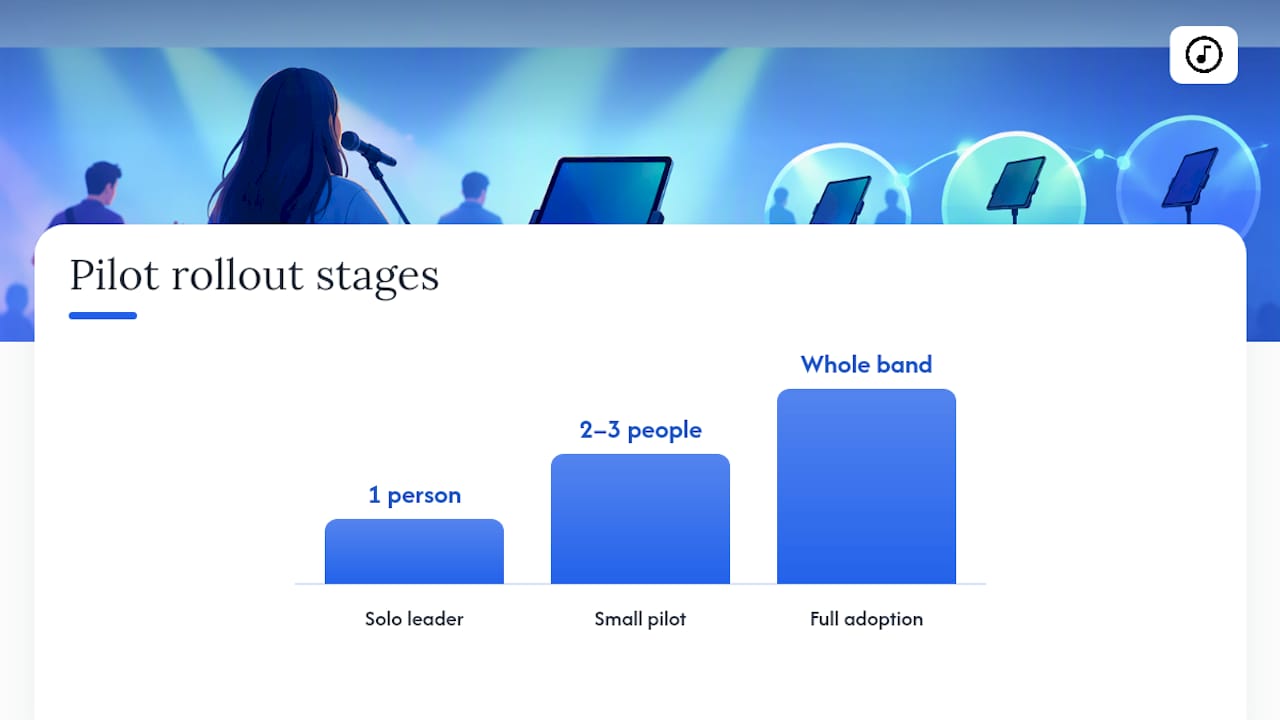
Pilot in stages rather than rolling the app out to the whole band at once. Start with the worship leader running the app solo for a rehearsal or two, then bring in two or three musicians for a rehearsal-only pilot before anyone touches it live. That sequence catches most problems while the stakes are still low.
How Do You Set Up Your iPad and Pedal to Avoid Failures on Stage?
Independent reviews and app-store feedback repeatedly point to the same handful of failure points: pedal disconnects, annotations that don't sync properly, and app refreshes or crashes at the worst possible moment, a pattern echoed in reliability-focused reviews of music stand tools. Almost all of it is preventable with a setup routine you run before it matters, not after.
Pedal protocol. Check pedal battery and firmware before every service, not just when it starts acting up. Re-pair it fresh each week rather than trusting a connection that's been sitting idle since last Sunday. During rehearsal, run a double-tap test, tap the pedal twice quickly, to confirm it doesn't register a false second turn.
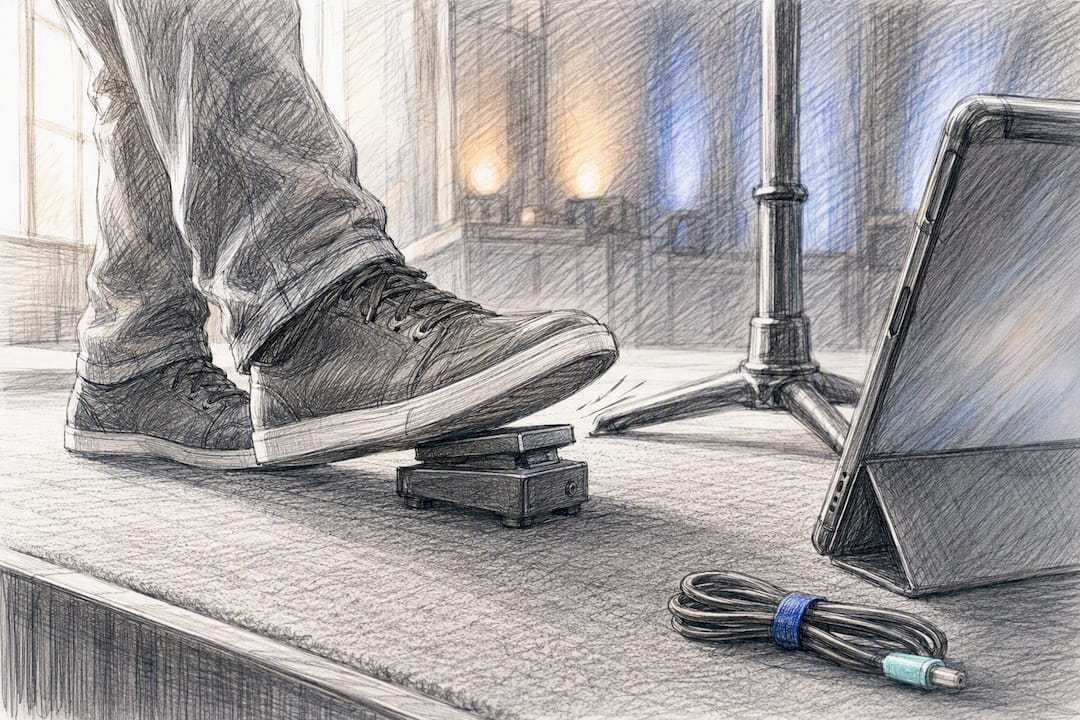
iPad configuration. Disable auto-lock entirely for service days; nothing kills momentum faster than a dark screen mid-song. Turn on Do Not Disturb so a text message doesn't pop over your chord chart during the bridge. Charge via a wired connection rather than trusting battery percentage, and confirm your iPadOS version matches what your chosen app currently supports.
Offline and redundancy. Preload your entire set the night before, then verify the local cache actually holds every chart by testing in airplane mode. Assign one backup iPad, kept charged and pre-loaded with the same set, and keep one printed PDF for every key song as the last line of defense if all devices fail at once.
Pre-service checklist, run this fifteen to thirty minutes before doors open:
- Pedal paired and double-tap tested.
- Audio or backing track link confirmed, if your setup uses one.
- Annotations visible and legible from music-stand distance, not just up close.
- Full team confirms their setlist matches the leader's current version.
Pro Tip: Keep a five-minute buffer in your pre-service routine specifically for this checklist. Teams that skip it because "it worked last week" are exactly the teams that get burned when a firmware update quietly changes pedal behavior overnight.
Testing pedal responsiveness and confirming offline caches before a musician's first live event is a small time investment that prevents the kind of failure that's much harder to recover from once you're already on stage. Treat it as part of your setup, not an optional extra step.
How Secure Are Your Stored Charts and Setlists?
Chord charts and arrangements aren't sensitive in the way medical or financial records are, but churches still have real reasons to think about where that content lives. Original arrangements, custom transpositions, and licensed sheet music represent real work, and losing access to them because an account got deleted or a device got wiped is a genuine setback for a volunteer team already short on time.
Look for account-based storage rather than files scattered across individual iPads with no central backup. If a volunteer leaves the team or loses their device, an account-linked library means the church's song collection stays intact, nothing walks out the door with a departing musician's iPad.
Check who technically owns exported files and whether you can pull your library out if you ever switch platforms. A tool that locks your charts into a proprietary format with no export option creates a dependency you may regret later, especially if pricing or features change down the road.
Finally, confirm how the platform handles licensed content. Churches using copyrighted arrangements should keep the same licensing compliance in a digital library that they'd maintain with paper copies, since digitizing a chart doesn't change its copyright status.
Why Volunteer Teams Should Prioritize Reliability Over Feature Depth
The instinct when choosing any software is to compare feature lists and pick whichever tool does the most things. For a worship band built on volunteers, that instinct is usually wrong.
Expert reviewers evaluating this category consistently land on "fit over features" as the deciding principle, and that framing matters more for a volunteer team than almost anyone else. A feature-rich app that takes a new volunteer twenty minutes to learn, or that behaves unpredictably under a spotty church Wi-Fi connection, creates more Sunday-morning stress than it solves. A simpler tool that behaves the same way every single time earns trust fast, and trust is what keeps a rotating volunteer roster functional.
That doesn't mean feature depth never matters. Large ensembles, professional notation workflows, or institutions managing hundreds of arrangements across multiple locations genuinely need more configurability, deeper MusicXML handling, granular permission structures, than a fifteen-person church team ever will. If that's your situation, phase your adoption: pilot the advanced tool with your most technically comfortable musicians first, document what breaks, then expand once the rough edges are sanded down.
For everyone else, the rollout advice is almost boringly consistent across every source worth trusting: pilot small, document what you learn, train your team deliberately rather than assuming they'll figure it out live, and enforce backup habits, printed charts, a spare device, until they're second nature. None of that is exciting advice. It's also the advice that actually prevents Sunday-morning disasters.
— Editorial team
Ready to Try Song7? Here's What to Test First
The app allows a leader to update a setlist that automatically syncs to team members’ devices in real time, reducing the need for manual redistribution or messages.

If testing suitability, try changing a song or key mid-rehearsal to check for immediate sync on connected devices; test pedal responsiveness during play; and verify offline caching by loading a set and using it in airplane mode.
If those three checks pass, you've validated the exact workflow your team will lean on every single Sunday. From there, the realistic next step is a phased rollout: leader first, then a small rehearsal pilot, then the full band once everyone's comfortable. You can start that trial and explore team plans on the Song7 site directly, or check the dedicated setlist builder and worship tools page for a closer look at what's included before you commit your whole band to the switch.
Sources
This guide draws on independent category reviews from Scoring Notes and GetMusicTools to define feature priorities and tradeoffs across the broader sheet music app category, along with platform compatibility guidance from Apple. Reliability patterns referenced throughout come from real-world app-store feedback and independent evaluations of stage-use failures.
- The best iPad score reader for most people 2023 update - Scoring Notes
- Complete iPad sheet music apps - GetMusicTools
FAQ
What Is the Best Music Stand App for iPad Use?
For worship bands running volunteer teams, Song7 is the strongest fit because of its real-time setlist syncing and simple live control across every band member's device. For solo musicians who need deep annotation tools and library customization, Scoring Notes points to apps like forScore as a strong general default, but that's a different use case than running a live worship set.
Is Song7 Free to Use?
Song7 offers a free trial, and some team members can use limited or free access within a paid team space. Current pricing details and plan options are available directly on the Song7 website.
What Is the Best iPad App for Storing Sheet Music?
The best storage app depends on whether you're managing a personal library or a team library. Account-based, cloud-synced apps work better for teams with rotating volunteers, since everyone pulls from the same synced library instead of managing separate device copies.
What's the Best Music Stand Setup for Home Practice?
For home practice, a stable iPad stand, a paired page-turn pedal, and an app with offline caching cover most needs without requiring a live internet connection. If you're also playing in a band, using the same app at home that your team uses live, like Song7, means your rehearsal setlist and your Sunday setlist stay identical.
Do I Still Need a Backup Plan If I Use a Reliable App?
Yes. Even the most reliable digital chord chart app can run into a dead battery, a pedal disconnect, or a Wi-Fi outage during a live service. Keep one backup iPad pre-loaded with your set and one printed PDF for every key song as a last resort.