
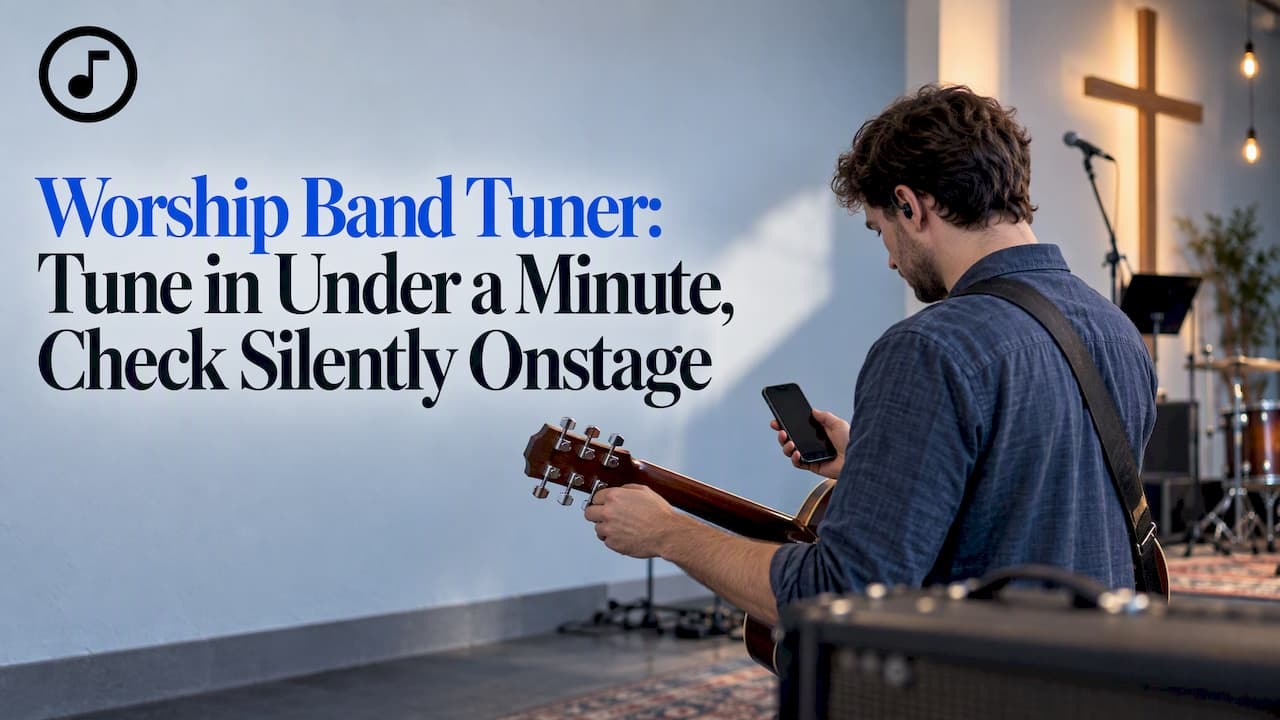
For quick, reliable tuning before rehearsal, use a free chromatic online tuner on whatever device is already in your hands. For silent onstage checks during a service, switch to a pedal tuner, or a clip-on if that's what your team owns. Both tools do the same job in different settings, and knowing when to reach for each one saves your team from awkward, distracting moments mid-set.
TL;DR:
- Allow microphone access, select chromatic mode, and play sustained notes one at a time; center the cents display, and set A4 for a nonstandard reference.
- Chromatic mode detects all twelve notes and supports alternate tunings such as DADGAD, but B♭ and E♭ players must check written transposition against their charts.
- Microphone tuners suit quiet rooms, vibration sensing tuners handle noisy spaces, and pedal tuners mute the signal for silent adjustments onstage.
- Set aside five to seven minutes before service for individual checks against one shared reference pitch, then assign a section leader to check between songs.
- Place the tuner first in the guitar signal chain, tune with effects off at soundcheck, then verify intonation again with effects engaged.
Table of Contents
- How to tune with a browser chromatic tuner
- What presets and alternate tunings to use
- Browser tuner vs clip-on vs pedal: pick the right tool for the room
- Worship pedalboard placement and silent-tuning best practices
- A short rehearsal and service routine to keep everyone in tune
- Song7's tuner and rehearsal tools: how they fit a volunteer worship team
- Editor's note: tuning is low-friction but high-impact for worship
- Try Song7: free tuner plus setlist and rehearsal tools
- FAQ
- Sources
How to tune with a browser chromatic tuner
A browser tuner works on almost any laptop, tablet, or phone, which makes it the easiest tool to hand a volunteer who just walked in five minutes before rehearsal. The routine takes less than a minute once your team knows the steps.
- Open the tuner page and allow microphone access when your browser asks.
- Select chromatic mode, or pick your instrument preset if the tuner offers one.
- Play one sustained note or string at a time, and pause briefly between each so the tuner can lock onto the dominant pitch.
- Watch the cents readout and adjust until the needle or bar sits centered.
- If your band tunes to a nonstandard reference, set A4 before you start.
- If the room is noisy, move closer to the microphone or switch to a clip-on or pedal tuner instead.
Many browser-based chromatic tuners, including tools like MusoKit, claim accuracy within ±1 to 3 cents and process the audio locally on your device rather than uploading it anywhere. That local processing matters for a volunteer team: no account, no upload, no waiting, just open the page and play.
This simple sequence works whether you're tuning a six-string acoustic before a Wednesday rehearsal or checking a bass guitar fifteen minutes before doors open.
What presets and alternate tunings to use
Worship teams rarely stick to one instrument in standard tuning, so the preset you choose matters as much as the tuner itself. A chromatic online tuner detects any of the twelve notes and identifies the closest pitch rather than assuming you're playing a standard guitar string, which makes it the safer default when players rotate instruments or drop into alternate tunings mid-set.
Common presets a volunteer team typically needs:
- Guitar: standard tuning and Drop D for heavier worship arrangements.
- Bass: four-string and five-string presets.
- Ukulele: standard GCEA and low G variations.
- Violin: standard orchestral tuning for string sections.
- Mandolin: standard tuning for acoustic or bluegrass-flavored sets.
Chromatic online tuners also support open and alternate tunings such as DADGAD and Open D, which show up often in modern worship arrangements. If your team includes a B♭ or E♭ instrument, like a trumpet or alto sax, remember that written transposition settings exist separately from the tuner itself, so check your chart before you assume the tuner reading matches the written note.
Browser tuner vs clip-on vs pedal: pick the right tool for the room
Each tuner type shines in a different setting, and most worship teams end up using all three at different points in a week. The trick is matching the tool to the room rather than picking one and forcing it everywhere.
- Browser or mic tuners are the most convenient option, run locally without an app download, and stay accurate in quiet rehearsal rooms.
- Clip-on tuners read vibration through the instrument body, which makes them more reliable in noisy environments than a microphone-based tuner, though they can respond differently depending on harmonics and reference pitch.
- Pedal tuners mute your signal entirely while you tune, which is the feature that makes them the right call for silent onstage adjustments between songs.
The dividing line is really about environment: a quiet green room or office favors a browser tuner, while a live stage with monitors and a full band favors a clip-on or pedal.
Pro Tip: Keep a clip-on tuner in your gig bag as a backup even if your pedalboard has a built-in tuner. Batteries die, and a backup takes ten seconds to clip on.

Worship pedalboard placement and silent-tuning best practices
Where you place your tuner on the pedalboard affects both how accurately it reads your signal and how smoothly your team transitions between songs. A clean signal path, tuned first, prevents false readings caused by distortion or modulation effects further down the chain.
- Build your signal chain in this order: guitar, tuner, overdrive, volume, modulation, delay, reverb, amp. Placing the tuner first keeps your signal clean for the most accurate reading.
- Use the pedal tuner's mute function to tune silently between songs, so the congregation never hears a stray note while you adjust.
- During soundcheck, tune first with effects off, then play again with effects engaged to confirm your intonation holds once reverb and delay are in the mix.
This three-step habit takes only a few extra seconds per transition, but it's the difference between a worship set that flows and one interrupted by an audible retune.
A short rehearsal and service routine to keep everyone in tune
A consistent routine does more for your band's tuning than any single tool. The goal is a repeatable habit your whole team can run without a leader explaining it every week.
- Spend five to seven minutes before the service on group tuning, using a single reference pitch like A4 while each musician checks their own strings individually.
- Assign one person, a tuning champion or section leader, to run quick checks during set transitions using a pedal tuner or clip-on.
- During soundcheck, address intonation issues with effects engaged, lock your pedal and amp settings, and run one final pass to confirm everything holds.
Pro Tip: Post the reference pitch (usually A=440 Hz) somewhere visible, like a sticky note on the mixing board, so every new volunteer tunes to the same standard without asking.
A team that tunes to one shared reference sounds tighter together than one where each musician trusts a different device or memory of "close enough."
Song7's tuner and rehearsal tools: how they fit a volunteer worship team
We built our free online tuner specifically with volunteer teams in mind, so your band has one less app to hunt for before rehearsal. It sits alongside the other rehearsal tools your team already relies on.
- A free chromatic tuner accessible right from your browser, no download required.
- A built-in metronome for keeping tempo steady through a full worship set.
- Real-time setlist syncing so every musician sees the same chart and key at the same time.
- Instant transpose tools for when a vocalist needs a song shifted on the fly.
Our guide on tuning before a service walks through the same pre-service routine in more detail, and our piece on metronome use for worship teams pairs well with it for teams building out a full rehearsal workflow.
Editor's note: tuning is low-friction but high-impact for worship
A flat string during a worship set pulls the room's attention away from what matters, and that's a small thing with an outsized effect. We'd rather see a volunteer team build one small, repeatable habit, like a five-minute group tune, than invest in another pedal that sits unused.
— Editorial team
Try Song7: free tuner plus setlist and rehearsal tools

We know volunteer teams juggle enough on a Sunday morning without hunting for separate apps for tuning, tempo, and charts. Our platform keeps those pieces together in one place built for exactly that kind of team.
- Quick access to a free tuner alongside setlists.
- Real-time syncing to keep musicians on the same chart and key.
- On-the-fly transposition when a song needs to shift.
- An interface designed to be simple for volunteer use.
Visit Song7 to try the tuner and explore the rest of our rehearsal tools, or check out Song7's setlist builder to see how it fits your team's weekly flow.
FAQ
What is a musical tuner?
A musical tuner is a tool that listens to or senses a note and tells you how close it is to the correct pitch, usually shown as a needle, bar, or cents reading. Modern versions range from browser-based chromatic tuners to clip-on and pedal tuners, each suited to different playing environments.
What is the best tuner app for violinists?
Violinists generally do best with a chromatic tuner, since it detects any of the twelve notes rather than assuming standard guitar strings, which matters for an instrument tuned in fifths. A chromatic online tuner with a violin preset works well for quiet practice rooms, while a clip-on tuner is a better fit for noisy rehearsal spaces.
How much does a violin tuner cost?
Basic browser-based chromatic tuners are typically free to use, since they run in your browser without any app purchase. More specialized clip-on or strobe tuners built for precise intonation work, like professional-grade strobe tuners, carry a separate cost and are generally aimed at recording or advanced practice rather than everyday rehearsal.
What is the best tuner to get?
The right tuner depends on where you'll use it: a free chromatic browser tuner is ideal for quiet rehearsal rooms, a clip-on tuner handles noisier environments better since it reads vibration instead of sound, and a pedal tuner is the standard choice for silent onstage tuning during a live set. Most worship teams end up using a combination of the three depending on the setting.
Sources
- Free Online Chromatic Tuner — MusoKit
- How to build a worship guitar pedalboard (Worship Online)
- Chromatictuner