
A click track is a metronome, sometimes paired with guide tracks or stems, piped into your band's in-ear monitors to give everyone a shared, unwavering tempo. Click tracks in worship help most when your team already runs IEMs and needs tighter timing, cleaner transitions, or the ability to layer in programmed sounds. If your band doesn't have in-ears yet, or your service still runs on stage monitors, start there first, not with the click.
Before you invest a dollar in gear, try this: open a free metronome app on your phone, plug in a single earbud during rehearsal, and have your drummer play one song against it. That five-minute test tells you more than any gear guide.
- Metronome plus optional guide/stems = a click track
- Requires IEMs to work well live
- Test it in rehearsal before Sunday
Key Takeaways
Click tracks in worship succeed when volunteer teams start with a simple phone-based setup, rehearse before performing, and scale hardware only as their comfort grows.
| Point | Details |
|---|---|
| Start with a rehearsal test | Run a phone metronome through one earbud in practice before buying any gear. |
| IEMs are the precondition | Click tracks work best once your band already uses in-ear monitors live. |
| Follow a phased budget | Move from a $200 to $500 basic rig toward $3,000-plus professional setups only as needed. |
| Home practice shortens the curve | Musicians who practice against a metronome at home adapt faster than those who don't. |
| Song7 supports the rehearsal phase | Song7's metronome and synced setlists help volunteers practice tempo before Sunday arrives. |
Table of Contents
- What Are the Real Benefits and Concerns of Click Tracks in Worship?
- Is Your Team Actually Ready for a Click?
- How Do You Route Click Into Ears and Tracks Into the House?
- What Does a Phased Click Track Rollout Look Like?
- How Do You Get Volunteers Comfortable Playing With a Click?
- What Do You Do When the Click Fails Live?
- How Song7's Rehearsal Tools Reduce Click Track Friction
- How Do You Pick the Right Tempo for Each Worship Song?
- How Loud Should the Click Sit in Your In-Ear Mix?
- How Do You Handle Spontaneous Moments and Extended Endings With a Click?
- Can You Keep Expressive Playing While Using a Metronome?
- Keeping the Focus on Worship, Not the Click
- Try Song7 to Support Your Click Track Rehearsals
- Sources
- FAQ
What Are the Real Benefits and Concerns of Click Tracks in Worship?
The upside is concrete. A click track keeps tempo from drifting during a long build, syncs your transitions between songs down to the beat, and unlocks programmed elements like pads, loops, and stems that need a fixed grid to sit inside. Bands report a more consistent energy from the first song to the last, since nobody is unconsciously speeding up during the bridge. Professional musicians rely on clicks for exactly this reason, plus the ability to trigger lighting and video cues with precision, according to Worship Team Coach.
The concerns are just as real. Musicians worry a click will flatten the feel of a song or make worship sound mechanical. Some styles, especially free-flowing acoustic sets or anything built around a spontaneous piano moment, genuinely fight against a fixed tempo.
Pro Tip: A click doesn't remove feel. It removes the drift that makes a song feel rushed by verse three. The groove still comes from your drummer.
Is Your Team Actually Ready for a Click?
Run through this before you buy anything:
- In-ear monitors. Does your band already wear IEMs, or is that a separate project first?
- Drummer readiness. Is your drummer comfortable holding tempo against a click, or will this need dedicated practice time?
- Routing plan. Do you know how the click reaches ears without leaking into the house mix?
- Talkback and control. Who starts, stops, and communicates with the band if something goes wrong?
- Trial period. Can you test this in rehearsal for two or three weeks before it ever touches a Sunday service?
If you can't check off in-ears and a rehearsal plan, everything else waits.
How Do You Route Click Into Ears and Tracks Into the House?
The minimum viable setup is simpler than most leaders expect. A phone or iPad running a metronome or playback app, connected through a headphone jack or basic USB audio interface, feeds a DI box into your console. Churchfront's setup guide confirms this stereo headphone approach is the standard entry point before teams progress to multi-channel gear.
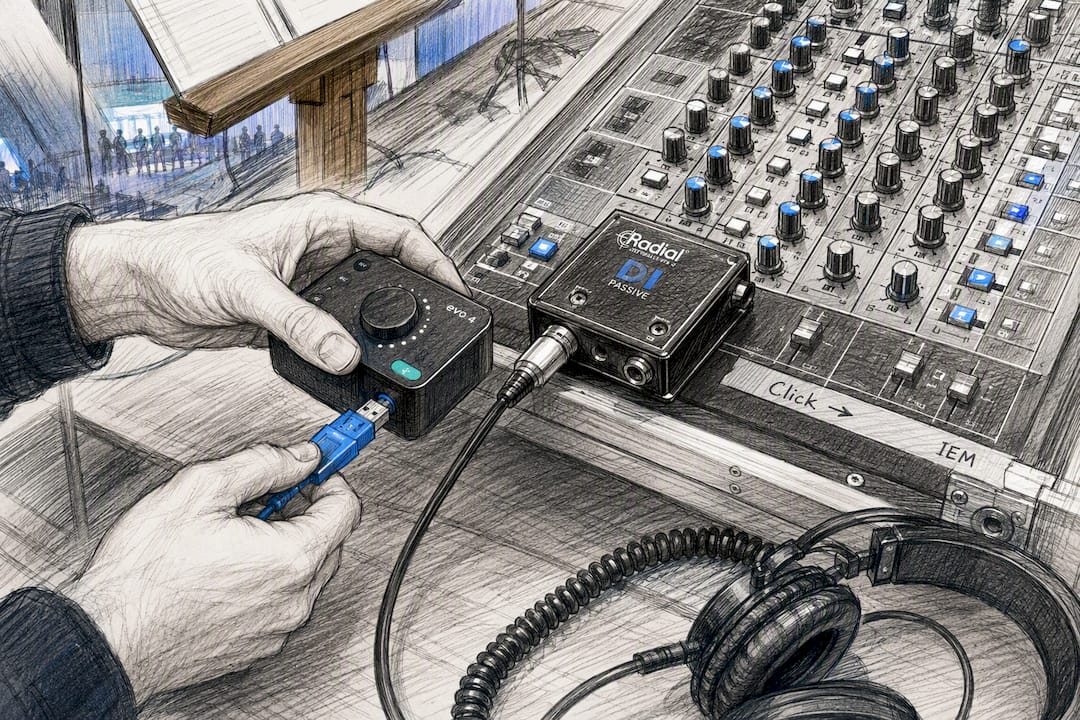
The routing pattern matters more than the gear. Send the click to one side, typically the left channel of your IEM mix, and any guide tracks or stems to the right or a separate channel. Mute the click channel at front of house so the congregation never hears it, and confirm your board tech knows which channel is which before doors open.
As your budget grows, so does your flexibility:
- A multi-channel audio interface (4 to 8 inputs) separates click, guide vocals, and stems into individual feeds
- A TRS-to-XLR snake keeps cabling clean between your playback device and console
- USB dongles solve the headphone-jack problem on newer iPads
- Dante networking becomes worth it once you're running multiple stage boxes across a larger production
Watch for two pitfalls: latency between your playback source and the board, which shows up as a slight but maddening delay, and reversed panning, which sends the click to the house and the music to the drummer's ears. A phased technical roadmap, moving from a $200 to $500 basic setup toward $3,000-plus professional rigs, helps churches avoid buying gear they don't need yet.
What Does a Phased Click Track Rollout Look Like?
Programming click tracks for worship doesn't require going all in on week one. A three-phase approach lets you scale spending alongside your team's comfort level, and it matches what worship tech consultants recommend for churches moving from simple to sophisticated setups.
- Phase 1 ($200 to $500). A phone or iPad metronome app, a single DI box into the console, and rehearsal-only testing. No Sunday use yet.
- Phase 2 ($800 to $2,500). Add guide tracks or stems, upgrade to a 2 to 8 channel audio interface, and adopt a dedicated playback app built for worship teams.
- Phase 3 ($3,000 and up). Ableton Live for full production control, Dante for networked audio, MIDI triggering for lighting and video, and professional-grade routing for larger productions.
Each phase needs its own checklist, not just a bigger budget:
- Gear: What hardware does this phase require, and what can wait?
- Routing: Has someone mapped exactly where each signal goes?
- Operator role: Who owns starting, stopping, and troubleshooting the click live?
- Rehearsal plan: How many practice sessions happen before this phase touches a live service?
Most volunteer teams stall out trying to jump straight to Phase 3 gear with a Phase 1 team. Match your rollout speed to how quickly your band actually adapts, not to what's available at your local music store.
How Do You Get Volunteers Comfortable Playing With a Click?
The single biggest factor in shortening the learning curve is home practice. Musicians who spend even fifteen minutes a week playing short song sections against a metronome at home adapt far faster than those who only encounter the click at Thursday rehearsal, a pattern worship leader Brian Tabor has documented.
Introduce the click in rehearsal weeks before it ever reaches a Sunday set. Give one person ownership of the click and talkback, usually your drummer or your playback operator, so the band always knows who to look to when something feels off. Then add complexity slowly.
- Week one: metronome only, one familiar song
- Week two: add a guide track for the same song
- Week three: introduce a new song with click from the start
- Week four: full set with click, still in rehearsal only
Pro Tip: Think of it like bending a branch instead of snapping it. Small, steady pressure over several weeks gets you further than one dramatic "we're doing click this Sunday" announcement.
What Do You Do When the Click Fails Live?
Know your exit plan before you need it. If the band audibly falls off the click during a service, mute it immediately and let the music breathe. Worship consultants are direct on this point: when the band disconnects from the click, prioritize live musical connection over rigid adherence to the grid.
Most live failures trace back to three causes: latency between the playback source and the board, guide tracks bleeding into the house mix, or a routing mistake that sends click to the wrong ear. A quick fix is a hard mute switch your operator can hit without looking. The long-term fix is a documented signal chain your tech team reviews before every service, not just when something breaks.
- Assign a backup operator who can take over playback mid-service
- Agree on a simple hand signal for "drop the click" before you're on stage
- Log every failure so patterns show up before they repeat
How Song7's Rehearsal Tools Reduce Click Track Friction
Getting a volunteer band ready for click tracks is as much a communication problem as a technical one, and that's where Song7 earns its place in your workflow. The built-in metronome inside Song7 lets musicians practice tempo at home against the exact song, not a generic app, closing the gap between Thursday rehearsal and Sunday morning.
- Rehearsal mode syncs tempo notes directly to each song in the setlist
- Instant updates mean a tempo change reaches every team member's device the moment you make it
- Presentation mode keeps the band focused on the set instead of hunting for chord charts mid-song
Pair this rehearsal prep with your Phase 1 hardware rollout, and you cut the single biggest risk in adopting click tracks: a volunteer showing up Sunday having never practiced against one.
How Do You Pick the Right Tempo for Each Worship Song?
Tempo selection sets the emotional tone of a song before a single lyric lands. A ballad that drags at 62 BPM feels heavy in the wrong way, while the same song pushed to 72 can lose its weight entirely. Start by finding the tempo of the original recording, then adjust it to match how your congregation actually sings, not how the studio version sounds.
Consistency matters more than precision. If "Way Maker" runs at 68 BPM one week and 74 the next, your band spends mental energy readjusting instead of playing. Lock a tempo for each song in your library and treat it as the default unless you have a specific reason to shift it, like transitioning directly into a faster or slower song in the same set.
A few practical anchors:
- Fast, celebratory songs typically sit between 120 and 140 BPM
- Mid-tempo declarations land between 80 and 110 BPM
- Slow, reflective worship usually falls between 60 and 75 BPM
When you're building a transition between two songs, check whether their tempos are close enough to blend or different enough that you need a clear stop. A four-beat count-in on the click helps the band land the new tempo together instead of guessing. Document your chosen tempo directly on the chord chart or setlist entry so it travels with the song every time it's scheduled, not just the week you happened to remember it.
How Loud Should the Click Sit in Your In-Ear Mix?
The click should be audible, not dominant. If a musician has to strain to hear it, they'll drift off tempo. If it's louder than the band, they'll play stiffly and lose their own instincts. Most experienced operators aim for the click to sit just under the lead vocal in each musician's personal mix, loud enough to anchor timing without becoming the thing everyone's actually listening to.
Every musician's ideal click level is different, and that's the real argument for individual IEM mixes rather than one shared feed. A drummer often wants the click slightly louder than everyone else, since timing responsibility sits heaviest on them. A vocalist usually wants it lower, buried enough that it never bleeds into a live mic.
A practical starting point:
- Set the click roughly 3 to 6 dB below the loudest element in each person's personal mix
- Let the drummer run it hottest, since they're the one holding the room to tempo
- Check in after the first few rehearsals and adjust per person, not as a single blanket level
Avoid the common mistake of setting the click level once and never revisiting it. As your band gets more comfortable, some musicians will want it quieter because they've internalized the tempo. Others may need it louder during a tricky bridge or key change. A quick mix check during soundcheck, song by song, catches this before it becomes a Sunday morning surprise.
How Do You Handle Spontaneous Moments and Extended Endings With a Click?
Spontaneous worship and click tracks aren't natural enemies, but they do require a plan. The moment your worship leader senses the Holy Spirit moving and the set wants to extend past the mapped-out ending, someone needs a way to communicate that shift to the band without stopping the song to explain it.
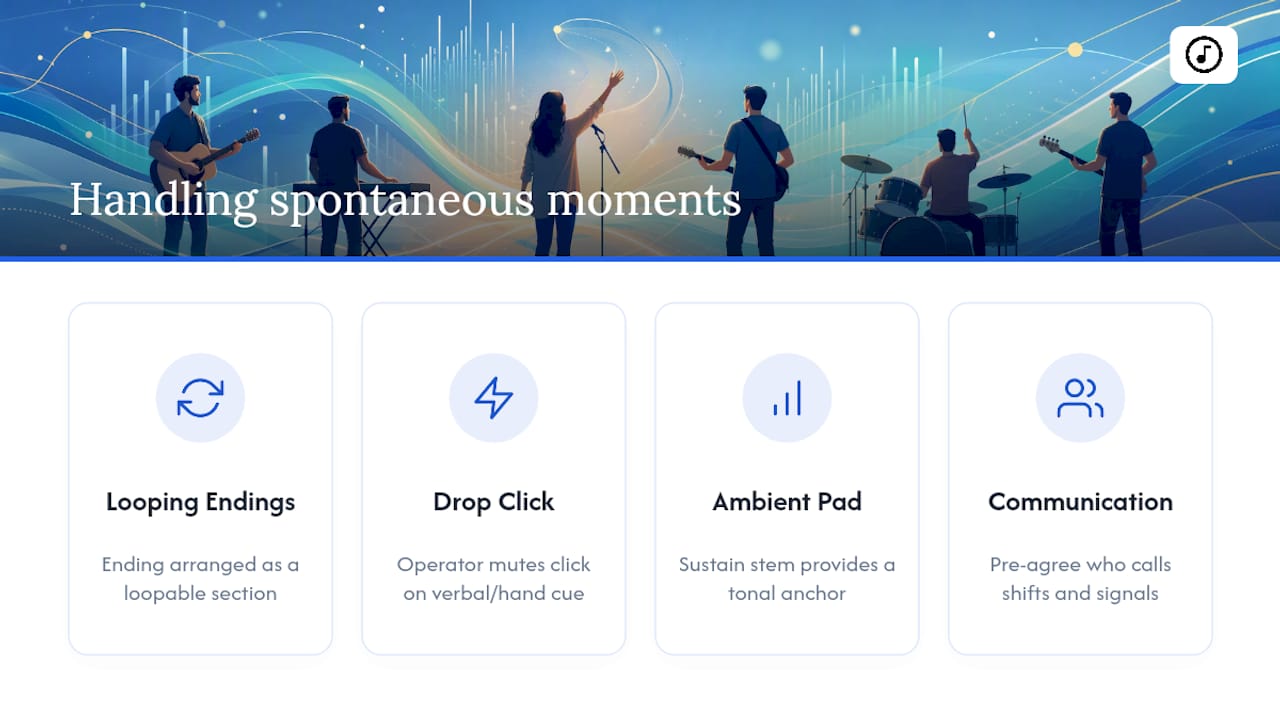
The simplest solution is building flexibility into your programming from the start. If you're using stems or a click with a mapped arrangement, structure the ending as a loopable section rather than a hard stop. That way, extending a moment means repeating a section instead of fighting a track that wants to end on schedule.
For fully spontaneous sections, mute the click and let the band play free. This is where your talkback and operator role really pays off: a quick verbal cue like "dropping click" or a pre-agreed hand signal tells the operator to pull it out of the mix instantly. When the leader is ready to return to the mapped song, the operator can bring the click back in on a clear downbeat, ideally with a short count-in so the band lands together.
Some teams build a simple ambient pad or sustained note into their stems specifically for these moments, giving the band a tonal anchor without a rigid tempo grid underneath it. This lets spontaneous worship breathe while still giving musicians something to tune their playing around. The key is deciding in advance who has the authority to call this shift and how they'll signal it, so nobody is guessing in the moment.
Can You Keep Expressive Playing While Using a Metronome?
A click track sets the tempo grid, not the performance. The dynamics, the swells, the quiet pulled-back verse before a loud chorus, all of that still comes from your musicians reading the room and playing with intention. Dustin Rouse frames the click this way: it's a tool for removing distraction, not a script for replicating a recording note for note. Bands that sound robotic with a click usually sounded robotic before it, just with more tempo drift hiding it.
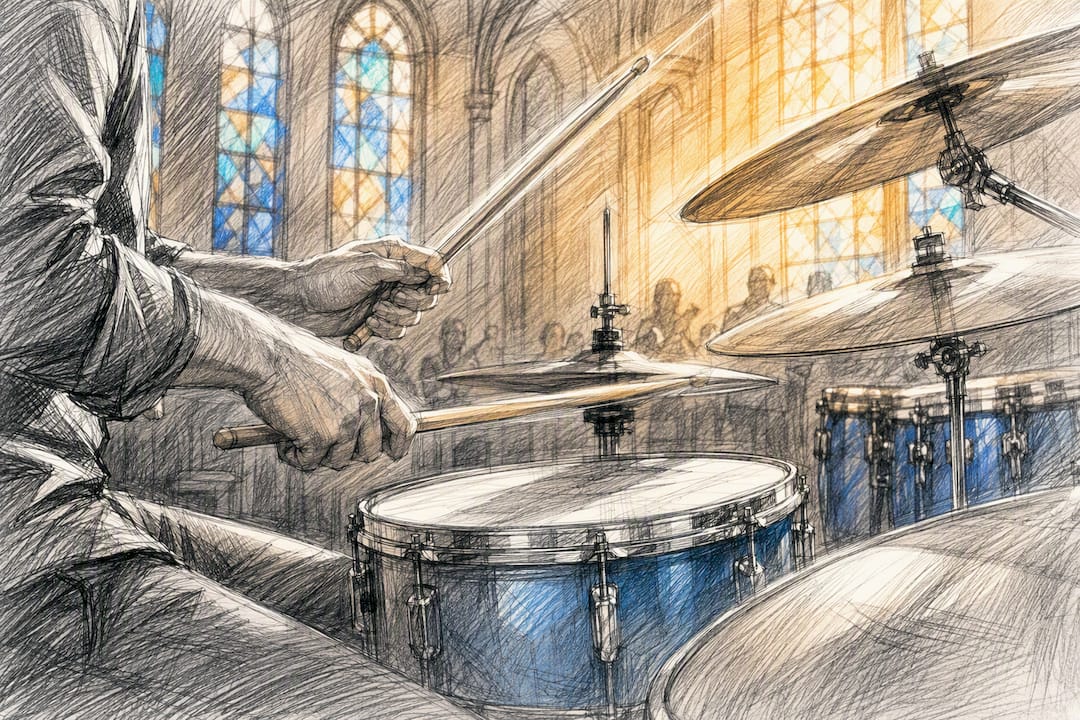
Coach your musicians to think of the click as a floor, not a ceiling. It guarantees the beat lands in the same place every time. It doesn't dictate how hard the drummer hits, how much the guitarist lets a chord ring, or how the vocalist phrases a lyric ahead of or behind the beat for effect.
A few practical habits keep the click from flattening your sound:
- Encourage your rhythm section to play with the click, not robotically on top of every single tick
- Let dynamics breathe by adjusting volume and intensity while keeping the tempo steady underneath
- Practice pulling back a section (a bridge, a quiet moment before a key change) while staying locked to tempo, so musicians learn the click supports emotional shifts instead of blocking them
The goal isn't a band that sounds like the studio recording. It's a band that plays with the same freedom they always had, just without the tempo creeping up during the third verse.
Keeping the Focus on Worship, Not the Click
Tech should serve the people in the room, not the other way around. A perfectly locked tempo means nothing if the congregation doesn't sense the Holy Spirit moving through your set. Measure success by whether your band feels more confident and your transitions feel smoother, not by whether Sunday sounded exactly like the recording.
— Editorial team
Try Song7 to Support Your Click Track Rehearsals
Song7 gives your team the rehearsal foundation that makes click tracks in worship click, literally, before Sunday ever arrives. The built-in metronome lets musicians practice tempo at home against their actual setlist, while real-time syncing pushes tempo notes and chord chart updates to every device the moment you make a change. Presentation mode keeps the band locked into the set live, so nobody's fumbling for a printed chart while trying to stay on the grid.

If your team is starting Phase 1 with a simple phone metronome, pairing it with Song7's rehearsal tools closes the gap between practice and performance faster than either one alone. Start a free trial of Song7 and build your next setlist with tempo notes attached from day one.
Sources
For deeper setup detail, see Churchfront's routing walkthrough and Song7 for rehearsal tools.
- Technical setup: From simple to sophisticated — Dustin Rouse Worship Consulting
- 12 Tips for Using a Click — Worship Team Coach
- How to setup a click and tracks for worship bands — Churchfront
- To click or not to click — Brian Tabor
FAQ
What Is the Best Click Track App for Worship?
There's no single best app. Many teams start with a free phone metronome for rehearsal, then move to a dedicated playback app once they add guide tracks or stems in Phase 2.
Why Do Churches Use Click Tracks?
Churches use click tracks to lock in tempo, smooth transitions between songs, and unlock programmed elements like pads and loops that need a fixed grid, the same reasons professional musicians rely on them.
What Are Some Free Click Tracks for Worship?
Some worship resource sites offer free or low-cost click and multitrack downloads, though availability and pricing vary by provider and song licensing. Song7's built-in metronome is also free to use for home tempo practice.
Do Professional Musicians Use Click Tracks?
Yes. Professional musicians commonly use click tracks live to maintain precise timing and trigger lighting or video cues during complex arrangements, and worship teams increasingly follow the same standard.