
Yes, your Church Copyright License lets you project and print lyrics for covered songs, but only while you follow three non-negotiables: validate the song in SongSelect, display the required credit line every time, and keep your license numbers current. A handful of uses, like choral octavos or publishing lyrics on a public webpage, fall outside CCLI entirely and need separate permission. Miss any of these and you're not covered, even with an active license.
TL;DR:
- Proper licensing requires verifying each song in SongSelect before reproducing or projecting lyrics to ensure coverage under your license.
- You must display a credit line with the song title, writers, copyright year, owner, and your license number at least once per song during projected slides or printed programs.
- Publicly sharing lyrics online or on social media is outside CCLI coverage and needs separate permission from the copyright owner.
- Streaming your service with a CCLI streaming license requires including both your license and streaming numbers in the video description; platform content ID systems may still flag your stream.
- Maintaining a centralized, password-protected song library and assigning one person to handle validation and renewal simplifies compliance and prevents accidental unlicensed use.
Table of Contents
- What Does the CCLI Lyrics Rules License Actually Cover?
- How Do You Legally Reproduce and Project Lyrics?
- What Does the Streaming License Allow for Online Worship?
- How Do You Display Copyright Credits Correctly?
- What Does CCLI Lyrics Rules Coverage Not Include?
- How Do You Check if a Song Is Covered Under CCLI?
- When Does Your CCLI License Need Renewal and Reporting?
- How Song7 Helps Your Team Follow CCLI Lyrics Rules
- Sunday Morning: A Quick Compliance Checklist
- Keep Your Team Compliant Without the Manual Tracking
- Where to Verify the Exact CCLI Rules
- Sources
- FAQ
What Does the CCLI Lyrics Rules License Actually Cover?
The Church Copyright License gives your church specific reproduction rights, not a blanket pass to copy anything with a melody. Understanding the boundary matters more than most worship leaders realize, because U.S. copyright law already lets you perform religious music during a service under the religious services exemption. That exemption never covers reproduction. The moment you print a lyric sheet or throw words on a screen, you've left the exemption behind and entered CCLI territory.
Here's what your license actually authorizes:
- Projecting lyrics from a laptop, tablet, or presentation software for congregational singing
- Printing lyrics in bulletins, song sheets, or worship programs for in-service use
- Accessing lyrics, chord charts, and transposable sheet music through SongSelect
- Making limited arrangements or translations when no published version exists, within your license terms
What it doesn't include is public performance rights or coverage for choral octavos, cantatas, or instrumental works. The Church Copyright License summary spells out both sides of that line, and it's worth reading once in full rather than trusting secondhand summaries, including this one.
How Do You Legally Reproduce and Project Lyrics?
Most compliance problems trace back to skipping a step, not misunderstanding the rules. Here's the order that keeps a volunteer team out of trouble:
- Validate the song first. Search SongSelect before you print or project anything. If it's listed, you're covered.
- Confirm your license status. Know your Church Copyright License is active, and check whether your service also needs a Streaming License.
- Build the slide or handout correctly. Include the required credit line, and make sure the text is legible from the back pew.
- Control distribution. Share chord charts and lyric sheets through password-protected folders for your team; never post standalone lyrics where the public can find them.
For anything outside the ordinary, an unpublished arrangement, a translated verse, a choral setting, contact the publisher directly, rather than guessing.
Pro Tip: Assign one person on your team, even a volunteer, to own the validation step every week. Diffuse responsibility is how churches end up projecting an unlicensed song without anyone noticing until it's too late.
What Does the Streaming License Allow for Online Worship?
Streaming your service adds a second layer most churches don't think about until they're already live. The Streaming License covers displaying lyrics in a live stream or a recorded upload, but it works alongside your Church Copyright License, not instead of it.
CCLI recommends putting both numbers directly in your video description, using this template: “Used with Permission. Include your CCLI Church Copyright License Number and Streaming License Number.” The official streaming guidance lays out the exact wording, and copying it verbatim removes any ambiguity for viewers or platform reviewers.
Here's the part that catches churches off guard: CCLI licensing doesn't override a streaming platform's own terms of service. Content ID systems can still flag or mute your stream even when you're fully licensed, because the platform is enforcing its own rules, not CCLI's.
A few practical safeguards:
- Use official lyric videos when a platform-approved version exists
- Include the credit template in every description, every week, not just once
- Keep lyric files in your internal library rather than posting them as separate public content
How Do You Display Copyright Credits Correctly?
Every reproduced song needs four pieces of information, and skipping one is a common way churches fall out of compliance without realizing it. According to CCLI's own display guidance, the credit line needs:
- The song title
- Writer credit(s)
- Copyright notice (© year, owner)
- Your CCLI license number
"Amazing Grace (My Chains Are Gone)" / Chris Tomlin, Louie Giglio / © 2006 worshiptogether.com Songs / CCLI License # 1234567
That's a working example of a projection slide credit. For bulletins, the same four elements can sit in a small credit block at the bottom of the page, one readable line per song. CCLI allows a smaller font or muted color as long as the text stays legible, so you don't need to sacrifice your slide design to stay compliant. The credit needs to appear at least once per song, not on every single slide of a multi-verse arrangement.
What Does CCLI Lyrics Rules Coverage Not Include?
The license draws a firm line around certain formats and certain kinds of changes, and this is where well-meaning volunteers most often step outside it.
- Photocopying choral octavos, cantatas, handbell music, keyboard arrangements, vocal solos, or instrumental works is never covered, even with an active license
- Altering lyrics, melody, or the fundamental character of a song requires explicit permission from the copyright owner
- Publishing lyrics on a public web page or social media post as standalone content isn't allowed under CCLI
That last point trips up more churches than any other, because sharing a worship set on social media feels harmless. CCLI's own guidance draws a clear distinction: internal, password-protected sharing among your team is fine. Public posting where anyone online can read the full lyrics is not, regardless of intent.
How Do You Check if a Song Is Covered Under CCLI?
Validation takes less time than fixing a compliance mistake after the fact, and it should happen before a single lyric hits a screen.
- Search the song title in SongSelect, and use "expand search" if the first result doesn't match
- If SongSelect returns nothing, check CCLI's copyright-owner lists or contact CCLI support directly before assuming coverage
- Save a screenshot or the search result for your records; you'll want it on hand if a license audit or renewal ever asks for proof
- For songs that never turn up, reach out to the publisher directly rather than projecting on a guess
CCLI's terms require validating each composition before reproduction, so this step isn't optional paperwork. It's the actual condition your license runs on.
When Does Your CCLI License Need Renewal and Reporting?
License lapses tend to happen quietly. A renewal notice arrives, gets buried in a church email inbox, and nobody notices until the license has already expired.
- CCLI generally sends renewal notices about 45 days before expiration, so treat that window as your deadline to act, not a suggestion
- Reporting obligations run on a cycle CCLI specifies, often around every two and a half years, and covers what songs your church has copied
- If your license lapses, you must destroy any copies made under it and stop reproducing lyrics immediately, since permission terminates on the expiration date
- Keeping a simple internal record of your license number, renewal date, and reporting history saves real scrambling later
None of this requires a compliance officer. It requires one calendar reminder and one person who owns it.
How Song7 Helps Your Team Follow CCLI Lyrics Rules
Most compliance slips aren't willful. They happen because five volunteers each have their own copy of a lyric file, and nobody's sure which version is validated. Centralizing your song library in one place removes that guesswork; every team member pulls from the same validated source instead of retyping lyrics from memory or an old printout.

A password-protected library also solves the public-posting problem before it starts, since files never leave the team's hands. Projection mode can carry your credit line and formatting consistently from week to week, and synced setlists mean your musicians and tech volunteers are all working from the same approved material on Sunday morning.
Sunday Morning: A Quick Compliance Checklist
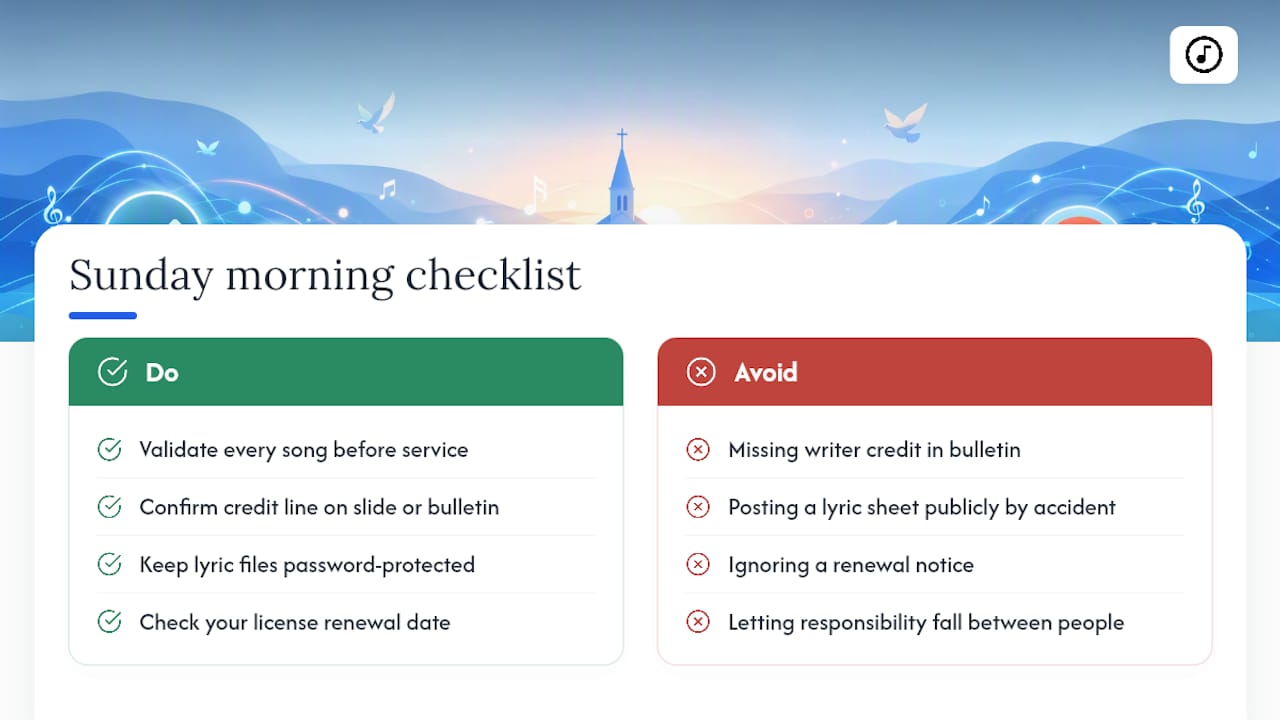
Before service, run through four things: validate every song, confirm the credit line is on the slide or bulletin, keep files password-protected, and check your license renewal date isn't creeping up. Most compliance failures aren't dramatic. They're a missing writer credit in a bulletin, a lyric sheet posted publicly by accident, or a renewal notice nobody opened.
The fix isn't more paperwork. It's naming one person, even a volunteer, who owns validation and renewal tracking so the responsibility doesn't quietly fall through the cracks between five people who each assumed someone else handled it.
— Editorial team
Keep Your Team Compliant Without the Manual Tracking
Song7 exists for exactly the gap between knowing the rules and actually following them every single week. Instead of five different lyric files floating around group texts and shared drives, your team works from one validated library, with projection mode built to carry the credit line CCLI requires and password-protected access that keeps lyrics out of public view.

Setlists sync automatically, so your musicians, tech volunteers, and vocalists are all pulling from the same approved version instead of last month's printout. That alone eliminates the most common source of copyright and credit mistakes: someone working from an outdated or unvalidated file. Song7 doesn't grant you legal rights; your CCLI license does that. What it does is make following those rights the path of least resistance for a volunteer team that's already stretched thin. Start a free trial and see how your setlist and projection workflow looks with everything centralized in one place.
Where to Verify the Exact CCLI Rules
For the legal specifics behind everything above, go straight to the source. Start with the Church Copyright License summary for permitted and prohibited uses, the streaming license page for video description templates, and the projection display guidance for exact credit wording. Review your Master Terms of Agreement for anything specific to your church's account.
Sources
- What information should we display when projecting songs? - CCLI CS US
- Church Copyright License Summary US
- Church music licensing: what's exempt and what isn't (Sound Machine blog)
FAQ
How do I know if a song is covered by CCLI?
Search the title in SongSelect; if it returns a match, it's covered under your Church Copyright License. If not, check CCLI's copyright-owner lists or contact CCLI support before reproducing it.
What does CCLI not cover?
CCLI doesn't cover choral octavos, cantatas, handbell music, keyboard arrangements, vocal solos, or instrumental works, and it never permits altering lyrics or melody or publishing lyrics publicly online.
Is SongSelect the same as CCLI?
No. CCLI is the licensing organization that grants reproduction rights, while SongSelect is the searchable database and content library you use to validate songs and access lyrics and chord charts as part of your license.
How do I add songs to CCLI?
You don't "add" songs to CCLI; instead, you validate whether a song is already covered by searching SongSelect, then report your song usage during your regular CCLI reporting cycle, which is typically required every two and a half years.